
All editions
CI/CD pipelines
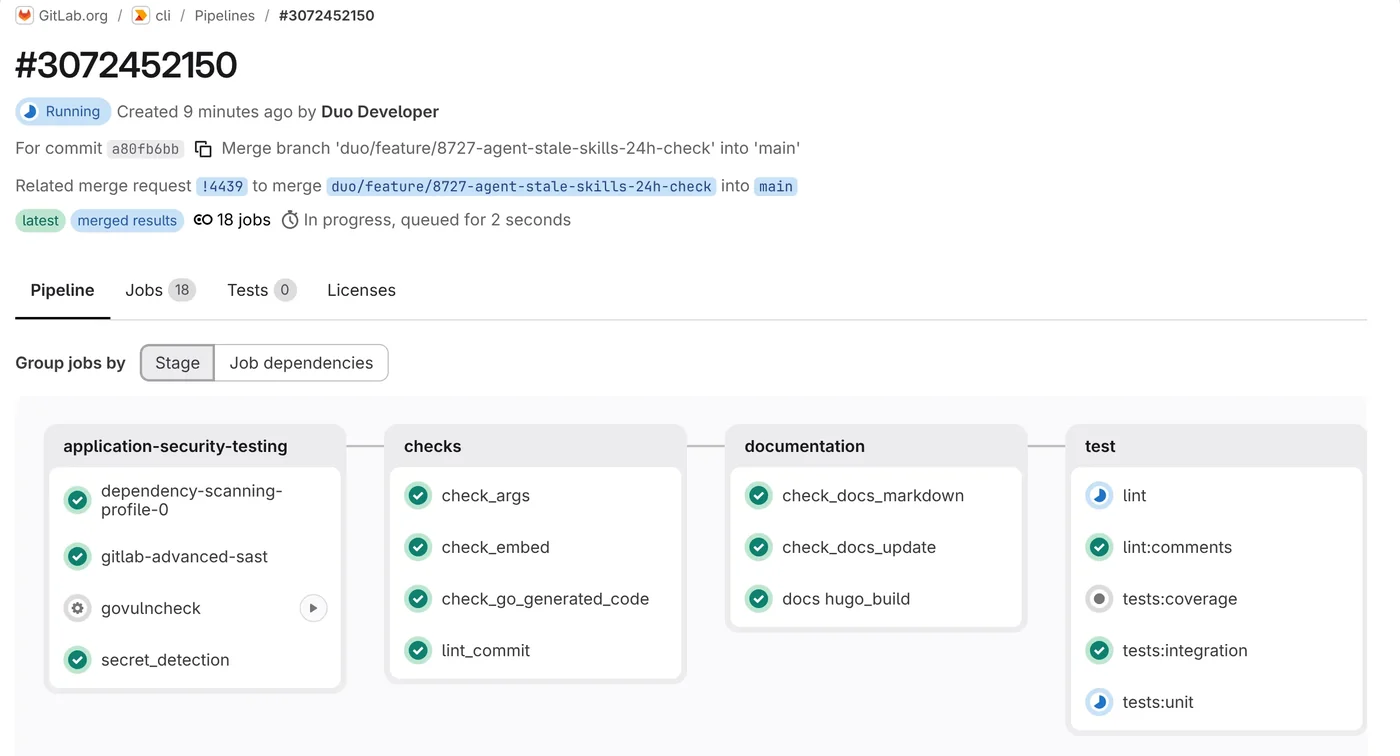
Every push starts a pipeline that builds, tests and deploys. Teams share pipeline templates, so a new project starts with the same jobs as the others.
Build › Pipelines


Code and CI/CD, GitLab
Source code, CI/CD and security scanning in one application, with work linked to IBM Engineering Lifecycle Management.
 GitLab
The GitLab DevSecOps Platform is a single application for planning, source code, CI/CD, security scanning and deployment.
A change, its code review, its pipeline and its scan findings sit on one merge request page. The reviewer sees all of it before approving, and nobody keeps scripts that pass work between separate tools.
Our clients often keep requirements in IBM DOORS Next and change requests in IBM Engineering Workflow Management. We link GitLab to both, so an auditor can follow a requirement to the commit that implemented it.
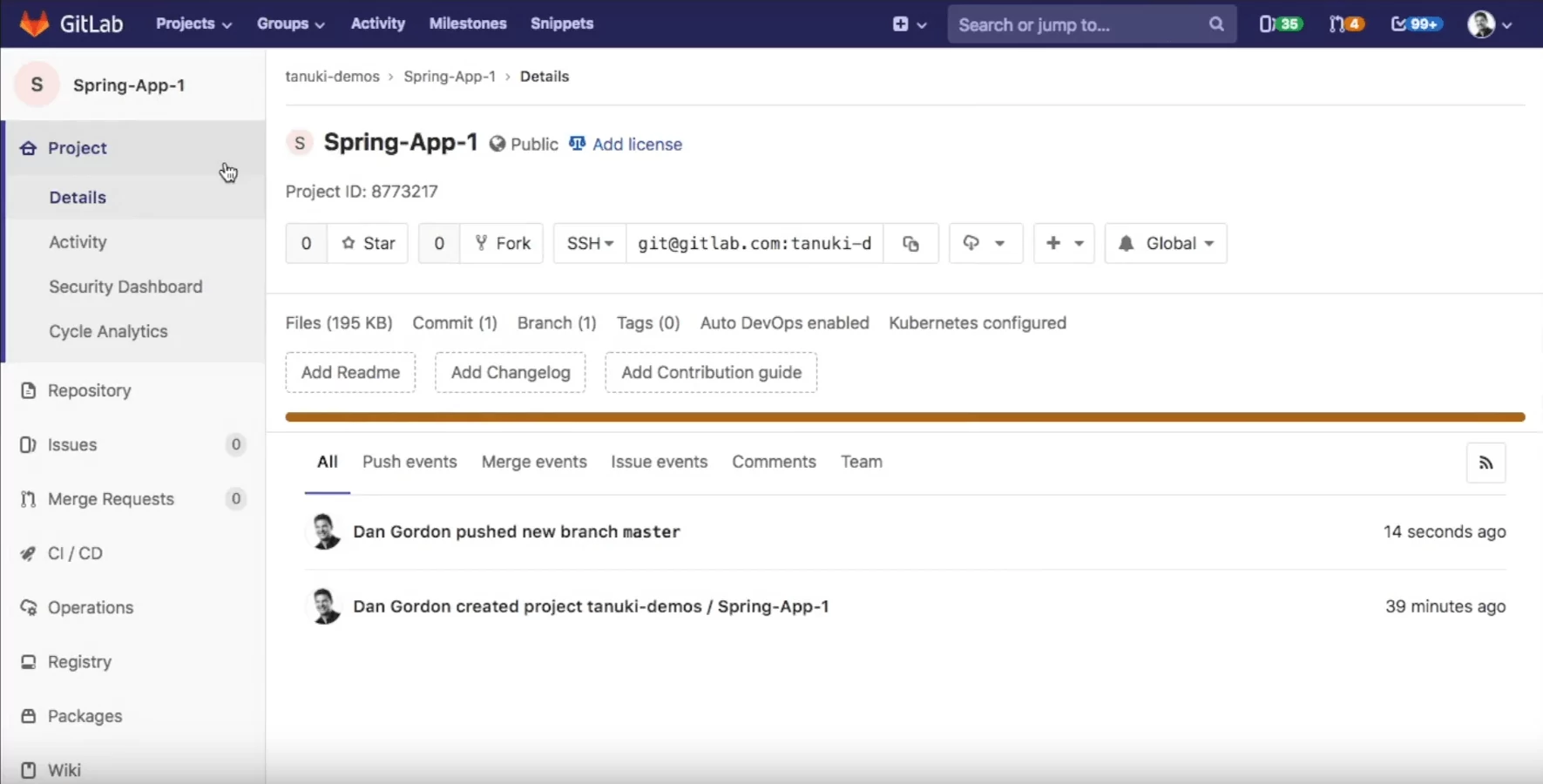
Six areas your team works in every day. The screenshots come from public projects on GitLab.com.
Every push starts a pipeline that builds, tests and deploys. Teams share pipeline templates, so a new project starts with the same jobs as the others.
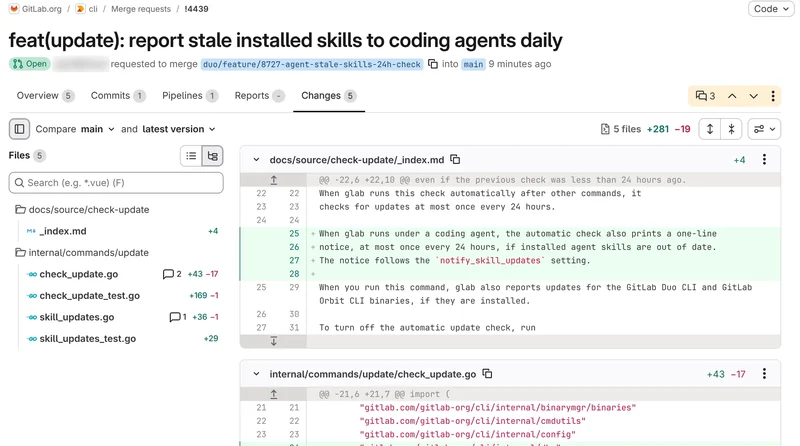
Git repositories and merge requests, with approval rules and code owners deciding who signs off.
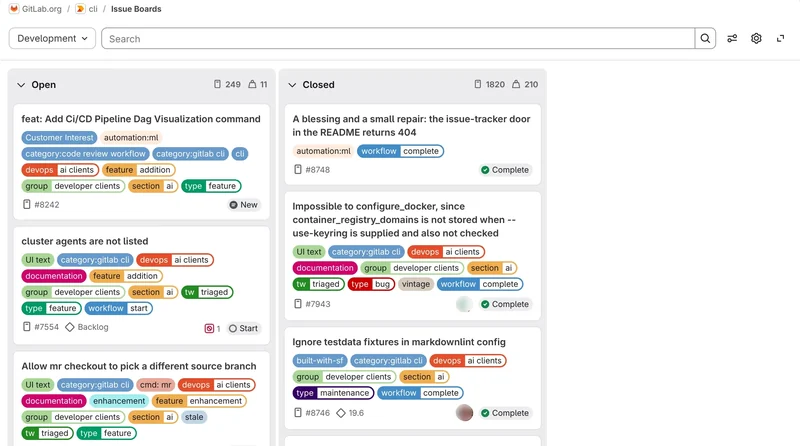
Issues, boards, epics and milestones, linked to the code that closes them.
SAST, dependency, secret and container scanning run as pipeline jobs and report in the merge request.
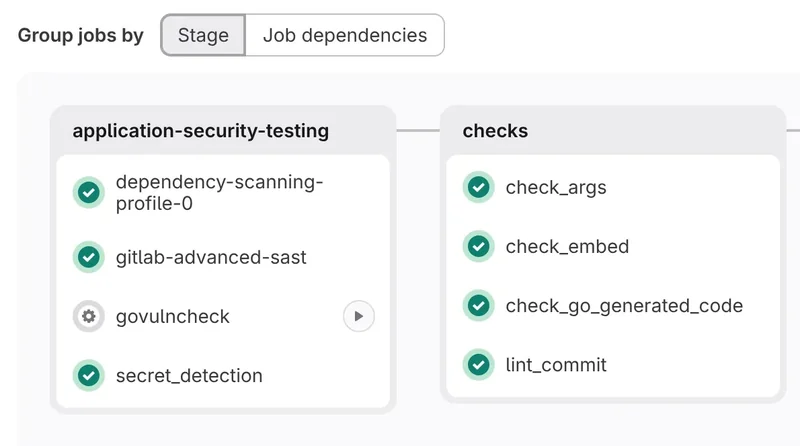
Container and package registries, environments and releases next to the repository.
AI code suggestions, chat, merge request reviews and explanations of vulnerabilities.
A consultant runs the demo on a process like yours, from branch rules to release approvals.
IBM Engineering Workflow Management links its work items to GitLab commits and merge requests. From a requirement in DOORS Next you reach the code that implements it and the pipeline that tested it.
 RequirementIBM Engineering Requirements Management DOORS NextThe need the change answers
 Work itemIBM Engineering Workflow ManagementStory or defect linked to the requirement
 Commit · merge requestGitLabNames the work item, EWM shows the linkPipelineGitLab CI/CDBuilds, tests and scans the change
 Test resultIBM Engineering Test ManagementResults traced back to the requirement
 HCL AppScanDAST scans and compliance reports from a pipeline job
 HCL DevOps TestAutomated functional tests
 HCL DevOps DeployReleases to test and production environments
 JiraIssues linked to merge requests
 KubernetesDeploy and run on clusters
We sell every GitLab edition and add-on, and check which one each team needs before you buy.
For individuals and small teams starting with Git and CI/CD.
Includes:
For teams that need control over how code reaches the main branch.
Everything in Free, plus:
For organizations under security, compliance or audit rules.
Everything in Premium, plus:
Shared SaaS, run by GitLab.
Any editionYour own SaaS instance, run by GitLab in the region you choose.
UltimateYour servers or your cloud. We can host and run it for you.
Any editionPremium and Ultimate include GitLab Duo Core. More AI features come with paid add-ons. What is GitLab Duo?
Pick the path closest to your team. Each one lists what we take on.
TodayTools glued together with scripts. Builds wait for a shared server.
What we do
TodayRepositories and build jobs spread across older tools.
What we do
TodayYour own GitLab servers to patch. Licenses bought years ago and never reviewed.
What we do
Not sure which path fits? One call with a consultant, no obligation.
Talk to a consultantTrusted in regulated industries
Our clients build products under strict standards and regular audits. We supply licenses, implementation, hosting and training.
Our clients build products under strict standards and regular audits. We supply licenses, implementation, hosting and training.










































We are a partner and reseller of these technology providers.


Trainings
Services
Free suits small teams. Premium adds approval rules and support from GitLab, Ultimate adds security scanning and compliance. The editions section above compares all three.
GitLab.com is the quickest start. GitLab Dedicated is your own instance, run by GitLab. GitLab Self-Managed runs on your servers when code must stay inside your network.
Yes. Repositories move with their history, and we rewrite Jenkins jobs as GitLab pipelines, starting with the most used ones.
Yes. Work items in IBM Engineering Workflow Management link to GitLab commits, merge requests and issues, and requirements in DOORS Next link to those work items. The IBM Engineering Lifecycle Management section above shows the path and how the link is set up.
GitLab Duo is the AI in GitLab: code suggestions, chat, explanations of vulnerabilities and help with failing pipelines. Premium and Ultimate include GitLab Duo Core. GitLab Duo Pro and GitLab Duo Enterprise are add-ons, bought per user.
Ultimate covers SAST, DAST, dependency and container scanning. Teams with strict policies often add HCL AppScan for deeper DAST and compliance reports.