
The Software and Systems Engineering Experts​
SmarterProcess logo

Contacts

SmarterProcess / ReqPro

ul. Antoniego Pajdaka 5/98
03-134 Warsaw, Poland
NIP : 8921405210
Regon : 146293701

About Products

About us

SP-HCL-01, Foundation, 2 days

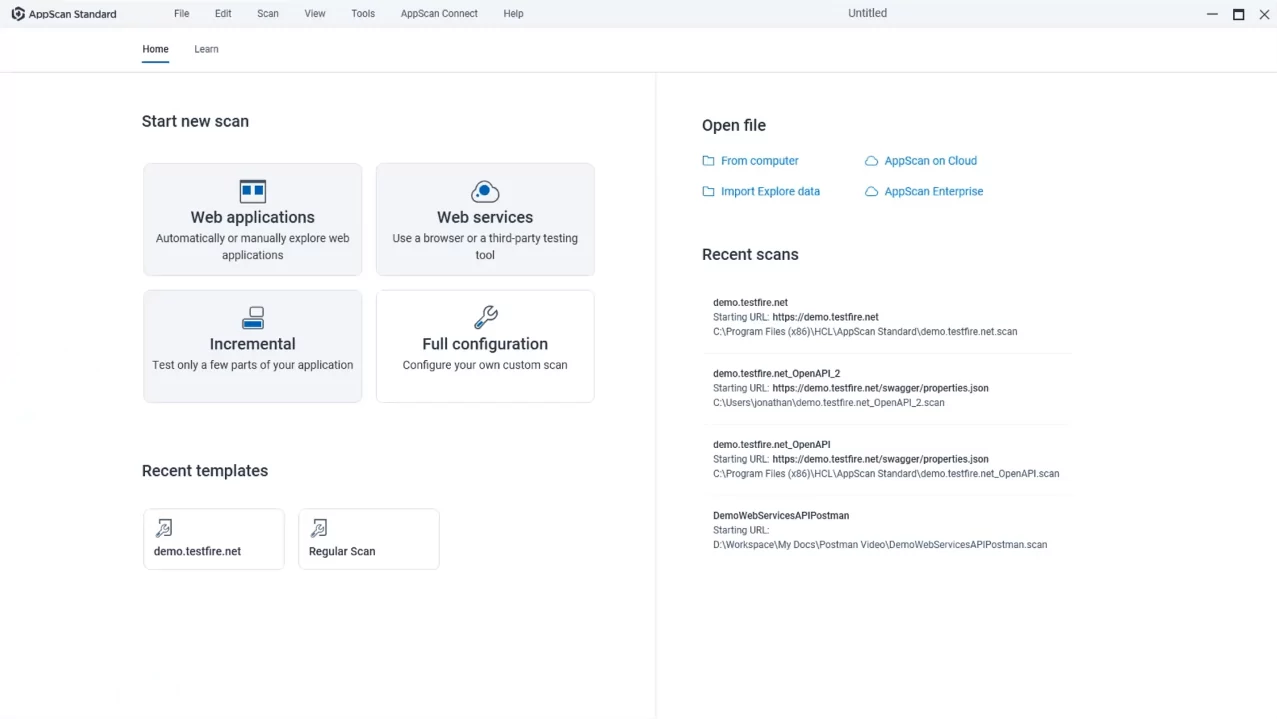
Introduction to HCL AppScan StandardHCL AppScan Standard training

Create security scans for web applications and web services. A two-day, hands-on workshop for your team, remote or on-site.

Overview

Start scanning your applications in two days

In two days you learn HCL AppScan Standard on a training project. You set up and run security scans of web applications and web services, then decide which findings are real and which to fix first.

Day two covers Web 2.0 applications, complex logins and session management, malware and content based scanning, faster and more accurate scans with advanced settings, and extending AppScan with the AppScan SDK and the eXtensions Framework (AXF).

After the course you can:

  • Scan web applications and web services for security issues
  • Review scan results, filter out false positives and rank the real issues for the people who fix them
  • Create reports on the issues a scan found
  • Tune the scan configuration so scans run faster and cover what matters
  • Extend AppScan with the AppScan SDK and the eXtensions Framework (AXF)
  • Find out why a scan fails and fix it

ScansResultsReportingWeb services

Who it is for

Built for people who test application security

For the people who run AppScan scans and the people who act on the results. You need the basics of web application security and HTTP(S).

Security testersRun the scans, check what AppScan finds and confirm the real issues.
Application security leadsChoose the test policy and decide what gets fixed first.
QA and test leadsAdd a security scan to the test cycle of every release.
DevOps engineersAutomate repeated scan steps with the AppScan SDK.
For your team3
  • Agree how your team prioritizes vulnerabilities and filters out false positives, so developers get a short list of real issues to fix first instead of a long raw scan result.
  • Set up scans the whole team can rerun with the same configuration and test policy, including recorded logins, so results from different people and different releases can be compared.
  • Give developers, managers and auditors reports they can act on, compliance reports included.
For you5
  • Install and configure AppScan Standard, then set up and run a scan with the wizard, including a recorded login for applications that need one.
  • Scan web services and Web 2.0 applications, handle complex login and session management, and scan content for malware.
  • Tune scan settings and advanced configuration, so scans run faster and cover the parts of the application that matter.
  • Troubleshoot AppScan Standard when a scan fails or stops halfway, and manage licenses and license reports for the team that runs the scans.
  • Extend AppScan with the AppScan SDK and the eXtensions Framework (AXF) when the standard features are not enough, for example to automate a step your team repeats in every scan.
A good fit if3
  • Your company already uses AppScan Standard, or is about to.
  • You test web applications or APIs that sit behind a login.
  • Auditors or customers ask you for security test reports.
Look elsewhere if3
  • You need static code analysis. That is AppScan Source, a different tool.
  • You run AppScan Enterprise or 360° for many teams. Ask us about a separate scope.
  • You want a general secure coding course for developers.

Course agenda

Two days, from the first scan to advanced configuration

Every module combines a short demo with exercises in a training project.

Day 1

Configure, scan and report

8 hours

01Introduction1 topic
  • Course Overview and AppScan product family
02Introduction to HCL AppScan1 topic
  • AppScan Standard Edition Overview
03Installation1 topic
  • Installation and Setup
04Configuration1 topic
  • Making the Most of Your Installation
05Scans preparations1 topic
  • Configuring a Scan
06Scans execution1 topic
  • Running a Scan
07Results1 topic
  • Reviewing Scan Results
08Reporting1 topic
  • Creating Reports

Day 2

Complex applications and advanced scanning

8 hours

09Complex applications1 topic
  • Scanning Web 2.0 Applications
10Session management1 topic
  • Complex Login and Session Management
11License management1 topic
  • License management and reporting
12Malware and content-based scanning1 topic
  • Malware, Content-based and Widget Scanning
13Performance optimization1 topic
  • Optimizing your Scan
14Advanced scan configuration1 topic
  • Configuring Advanced Scan Settings
15Web Services1 topic
  • Scanning Web Services
16Extensions1 topic
  • Extending HCL AppScan Standard Edition
17Troubleshooting1 topic
  • Troubleshooting HCL AppScan Standard Edition

FAQ

Questions buyers ask about this course

Can you run the training on our own AppScan installation?

Yes. We train on our lab environment or on your own instance, also in a network without internet access, with demo data or your own projects.

Which HCL AppScan version do you teach?

The current release. If your server runs an older version, we adapt the exercises to it.

Can you adapt the agenda to our process?

Yes. We add examples from your projects and your way of working.

Do attendees get a certificate?

Yes, a certificate of completion for every attendee.

What happens after the training?

Attendees can send questions to the trainer after class. For longer support we offer mentoring and consulting on your project.

Where can I find HCL AppScan Standard documentation?

On the HCL Software help center (help.hcl-software.com), which covers installation, scan configuration, reports and release notes for each version.

Is IBM AppScan now HCL AppScan?

Yes. In 2019 the IBM AppScan product line became part of HCL Software, so IBM AppScan Standard is now HCL AppScan Standard.

Newsletter

The SmarterProcess newsletter

Tips, product news and webinar invites on IBM software, DOORS and the other vendors’ tools we deliver. One email a month.

Get it in your inbox

Check your inboxWe’ve sent a confirmation link to . Click it to start your subscription. Can’t see it? Check your spam folder.