

01 Applications and components
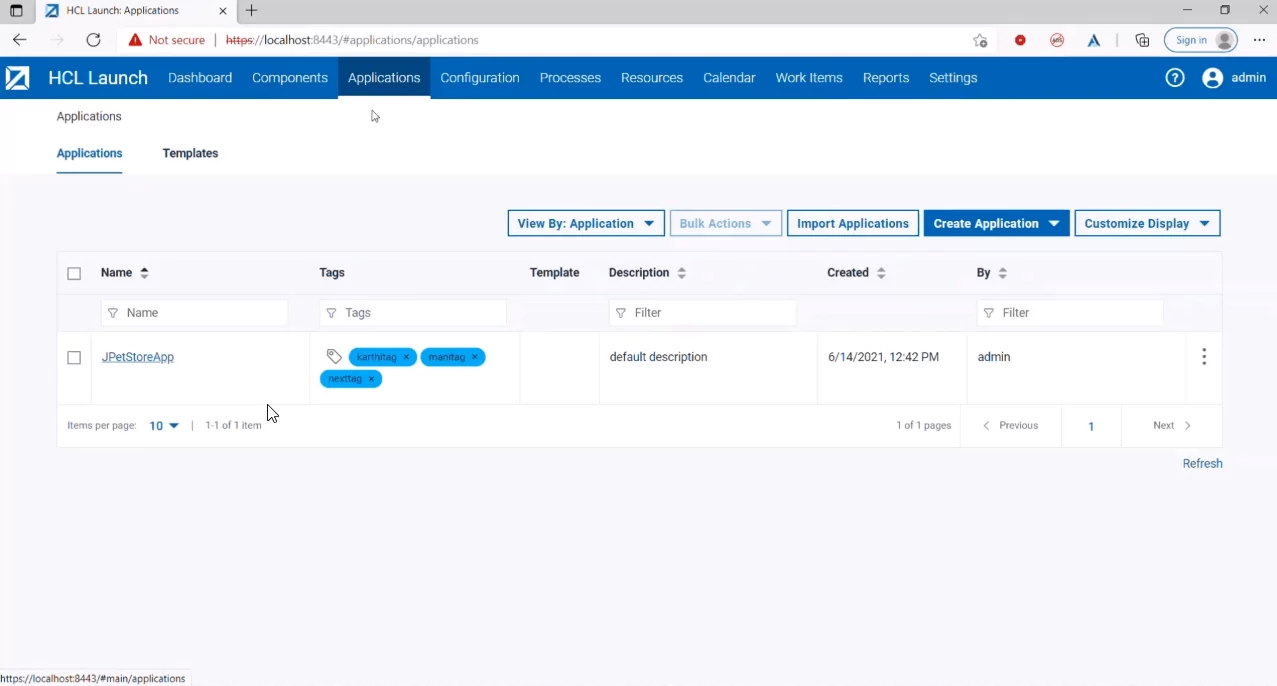
An application groups its components: code, configuration and database changes. Each build becomes a component version, and a snapshot records the versions tested together.


Release, HCLSoftware
Automated, repeatable deployments of applications, middleware and database changes from development to production.
 HCL DevOps Deploy
, formerly HCL Launch and IBM UrbanCode Deploy, automates how applications move from build to production. Every deployment follows the same process, on every environment, with approvals and a full history.
Applications are made of components, and each component has its own deployment process. Agents on servers, virtual machines, mainframes and Kubernetes clusters carry the process out.
Release calendars, approvals and audit history show who deployed what, where and when. Version 8.1.2 added an AI assistant, Deployment Genie. Version 8.2 added an MCP server for AI tools.
Teams drag steps from hundreds of plugins onto a process: stop a service, deploy files, update a database, run tests. Jenkins, GitLab or Azure DevOps keep doing the builds, and HCL DevOps Deploy takes the result from there. Applications, processes and agents carry over in an upgrade from IBM UrbanCode Deploy.
Find the line closest to your team. Each one shows what changes with HCL DevOps Deploy.
Six steps from a finished build to a production release, each on a real product screen.
An application groups its components: code, configuration and database changes. Each build becomes a component version, and a snapshot records the versions tested together.
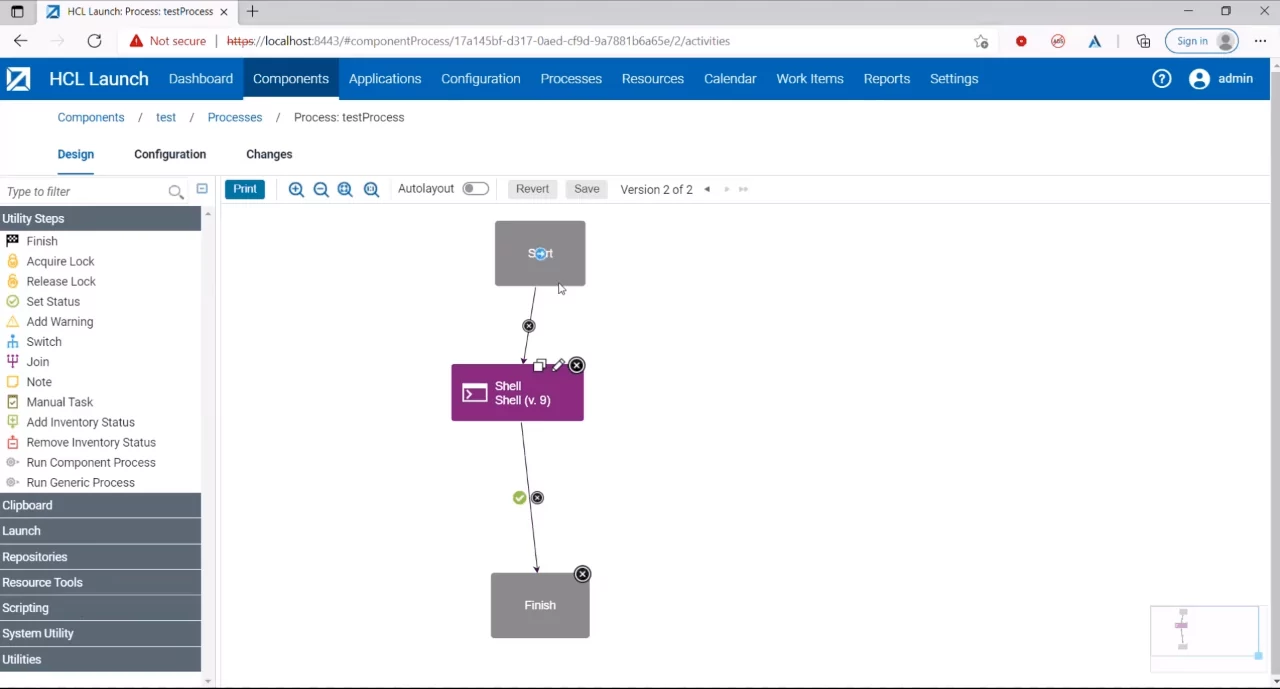
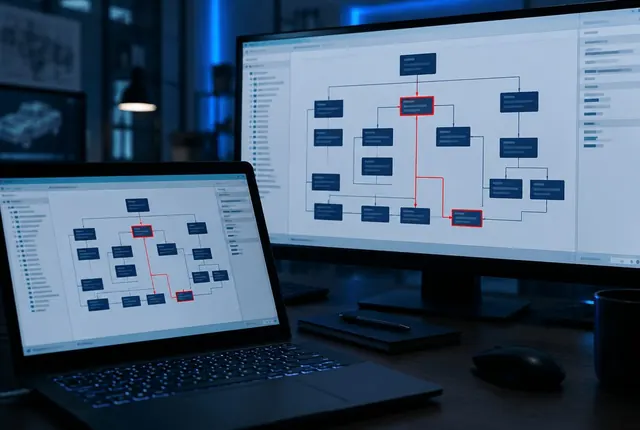
A component process is a flowchart of plugin steps, with branches for failures and manual tasks. The application process calls the component processes in order. The same process runs on development, test and production, so production is never the first try.
Plugins cover application servers, databases, containers, z/OS and ServiceNow. You install them from the web UI.
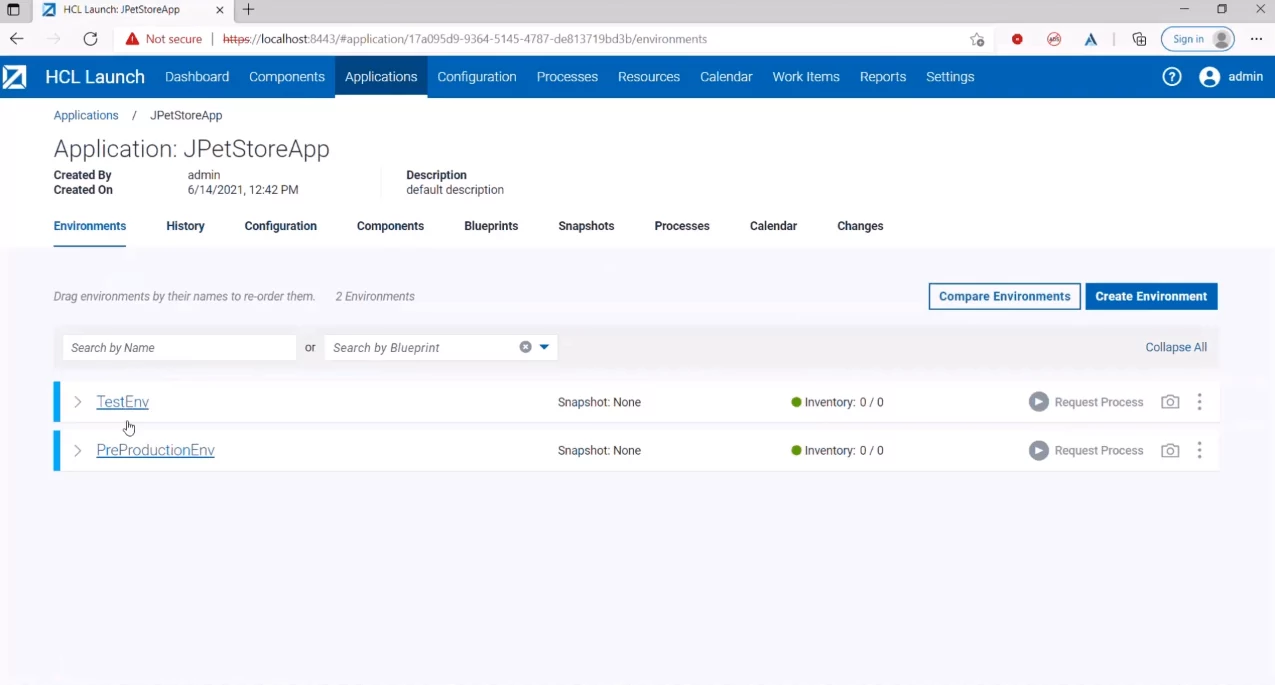
Each environment shows which version of every component it runs. Gates and approvals decide what moves on to the next one.
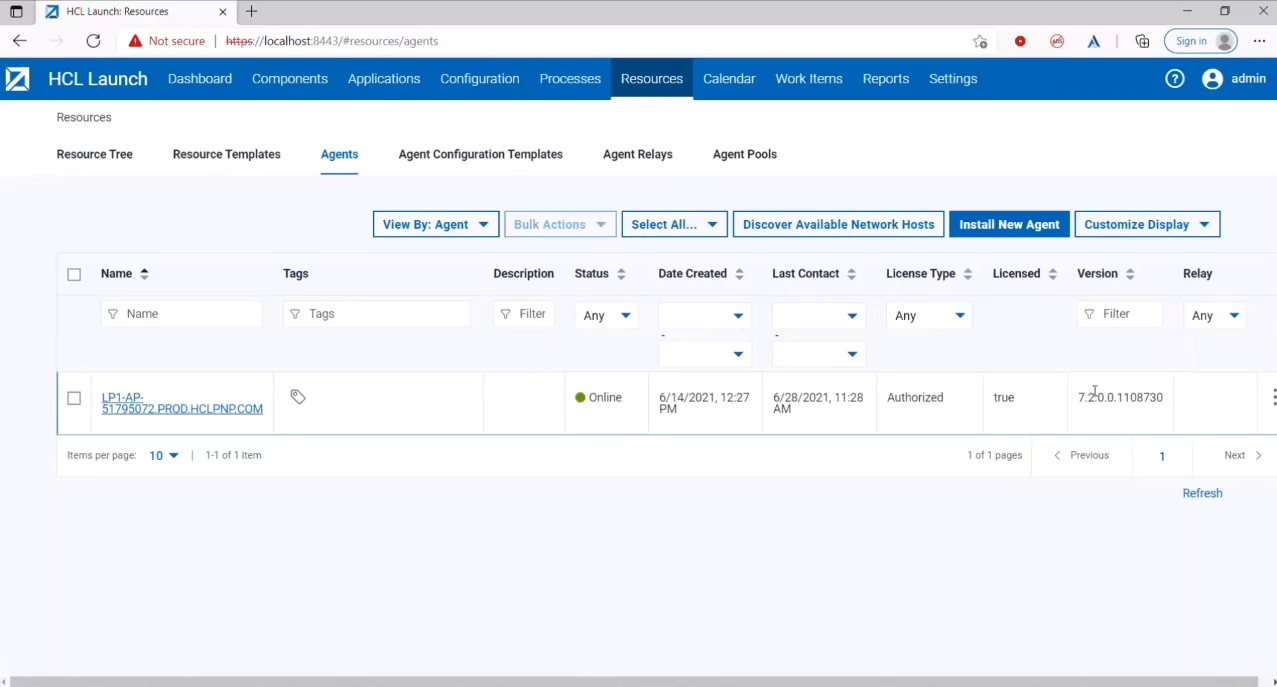
Agents install on Linux, Windows, z/OS and in Kubernetes. Resource groups map them to environments, so one release covers the mainframe, virtual machines and containers.
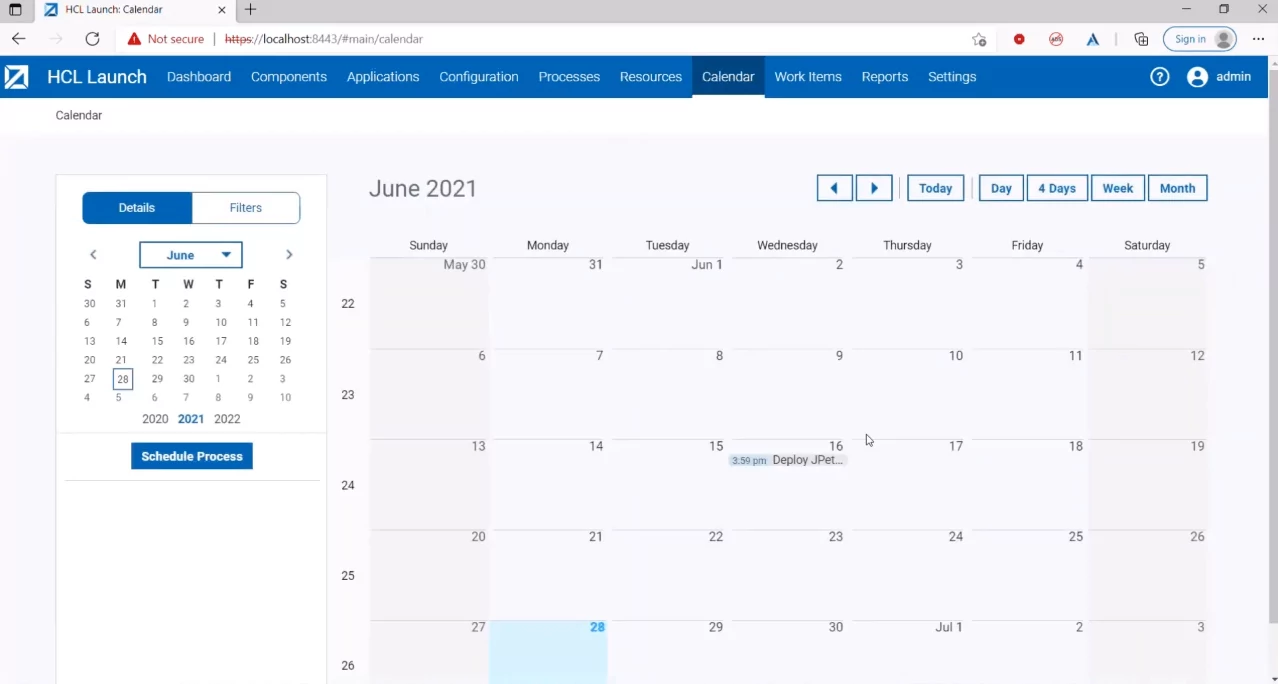
Plan deployments for several applications on one calendar and run them on schedule or on demand.
Every deployment records the snapshot, the environment, the approvals and who started it. A failed release can roll back to the previous snapshot.
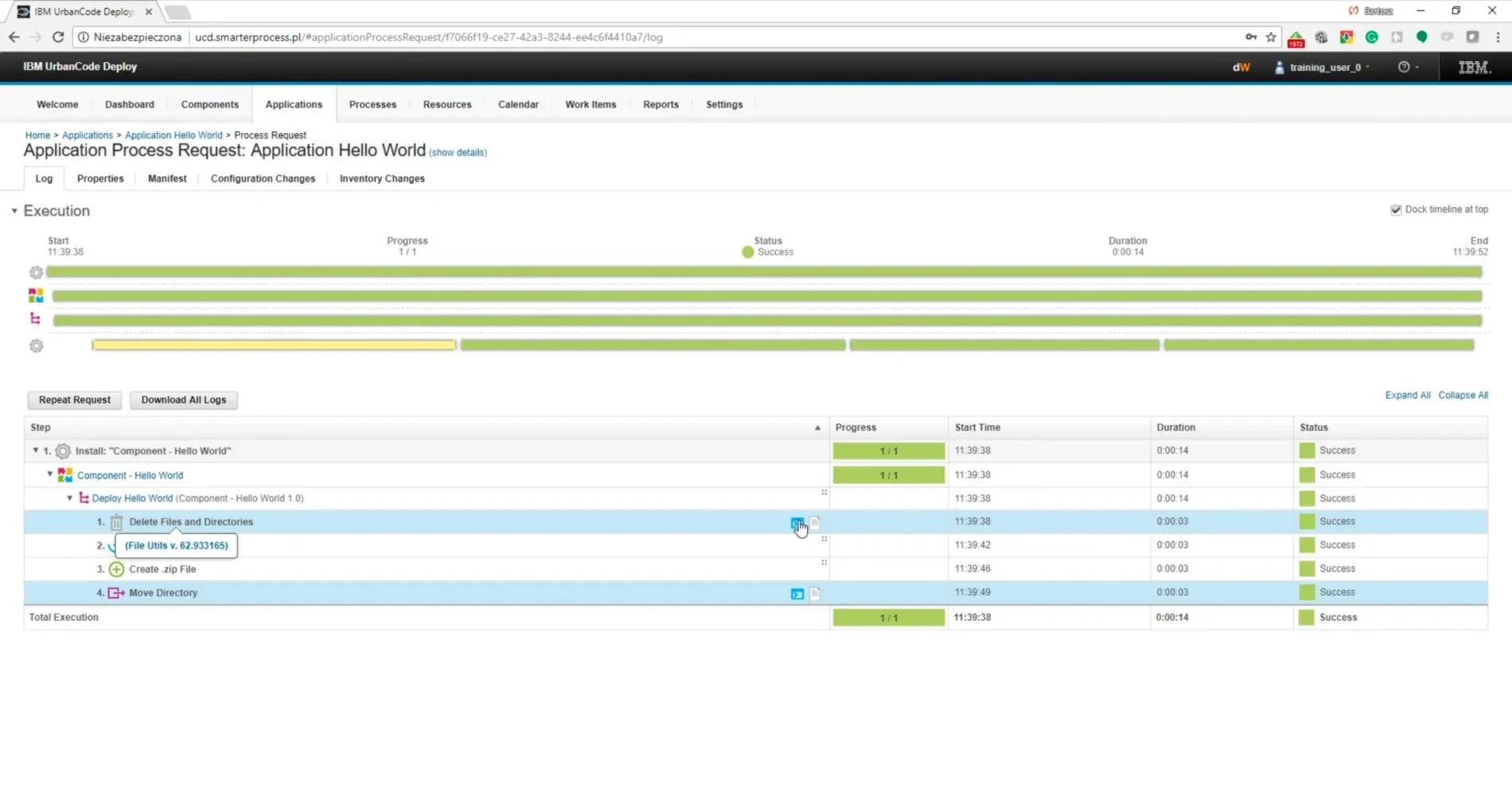
When a step fails, the AI assistant reads its log and suggests the cause and a fix. Since 8.2 you choose the AI service, for example Ollama or watsonx.
Example deployment record
Illustrative data.
 GitLab DevSecOps PlatformBuilds and artifacts from pipelines
 HCL DevOps TestTests after each deployment
 HCL AppScanSecurity gate before production
 HCL DevOps DeployTakes a build from your CI tool and deploys it the same way to every environment, with tests and approvals on the way.
 Kubernetes and cloudContainers, Helm and cloud services
 z/OS mainframeMainframe deployments with the same process
 ServiceNowChange requests and approvals


Builds that start deployments.

Artifactory, Nexus and others.
Automation from any tool.

AI agents in your IDE run deployment actions.
Trusted in regulated industries
Our clients build products under strict standards and regular audits. We supply licenses, implementation, hosting and training.
Our clients build products under strict standards and regular audits. We supply licenses, implementation, hosting and training.















































We are a partner and reseller of these technology providers.



Trainings
Products
Services
It grew from it. HCL took over development of UrbanCode Deploy, named it HCL Launch and then HCL DevOps Deploy. Applications, processes and agents carry over in an upgrade.
We back up the server, check plugins and custom processes on a copy, upgrade the server and then the agents. Deployments keep running during the move.
Yes, for builds. DevOps Deploy takes the build result and deploys it with the same process to every environment.
Yes. Agents run on z/OS, Linux, Windows and in Kubernetes, so one release can cover all of them.
Version 8.1.2 added Deployment Genie, an AI assistant in the product. Version 8.2 added an MCP server that lets AI tools work with DevOps Deploy under your permissions. 8.2.2 from June 2026 is the current release.
Yes. Every deployment records the version, the environment, the approvals and the person who started it. Reports show the history per application.