
The Software and Systems Engineering Experts​
SmarterProcess logo

Contacts

SmarterProcess / ReqPro

ul. Antoniego Pajdaka 5/98
03-134 Warsaw, Poland
NIP : 8921405210
Regon : 146293701

About Products

About us

Ink drawing: a consultant beside a client engineer at two monitors, with a control unit on a test bench behind them
Sketch: a completed checklist with an acceptance seal and a key on a server module

Workflow Management running, team trained · in five days

Home · Services · Workflow Management QuickStart

SERVICE · QUICKSTART

Workflow Management QuickStart

Installation, configuration, training and mentoring for your first IBM Engineering Workflow Management team, in five days.

Overview

Your first team in Workflow Management, in five days

A pre-defined service for the rapid adoption of IBM Engineering Workflow Management (formerly Rational Team Concert) by an initial team of up to 10 users, based on one of the out-of-the-box configurations.

Workflow Management is a platform for in-context team collaboration, real-time project status and automation. Its out-of-the-box process configurations let you see the benefits within weeks.

It is often best to start with an initial team on a real project. You see the benefits at low risk and build the foundation for more teams later.

Up to 10 usersSingle serverOut-of-the-box processTraining and mentoring

Our part

We plan the installation with you, install and configure Workflow Management, document the result, train your first team and stay with them for a day of mentoring on real work.

Your starting point

Where does your team plan its work today?

Most teams call us at one of these points. Each one ends with Workflow Management in daily use.

Licenses bought, server empty
Server, database and LDAP not readyInstalled, patched, documented
Tasks in spreadsheets and e-mail
Status asked for in meetingsReal-time status in Workflow Management
A team waiting for training
Nobody knows where to startTrained and mentored on real work

Also a starting point

See the five days

Before the first project

  • No plan for the server, database and licenses
  • Sign-in, SSL and e-mail not configured
  • No record of how the server was installed

In the daily work

  • No real-time project status
  • Plans, tasks and code changes kept apart
  • Progress reported by hand

Your five days

Five days from an empty server to a working team

A fixed agenda: one day of planning, two days of installation and configuration, a day of training and a day of mentoring.

  1. Day 1

    Planning

    • Assessment
    • Planning
    • Expected results
    • Prerequisite checklist

    Agreed plan, checklist complete

  2. Day 2

    Installation

    • Workflow Management software
    • Database (DB2, Oracle)
    • WebSphere Liberty
    • Licenses

    Workflow Management installed and licensed

  3. Day 3

    Configuration

    • Latest iFixes
    • LDAP, SSL, SMTP
    • Post-installation documentation

    Secure, patched, documented server

  4. Day 4

    Training

    • Introduction to Workflow Management

    Your team knows the basics

  5. Day 5

    Mentoring

    • Mentoring on real work
    • User support

    First real work items planned and tracked

Introduction to IBM Engineering Workflow Management1 day of training · 1 day of mentoring on real work · up to 10 people
Talk to an engineer

Scope

What is in the package

A fixed scope, so you know before day one what you get, what you prepare and what we quote separately.

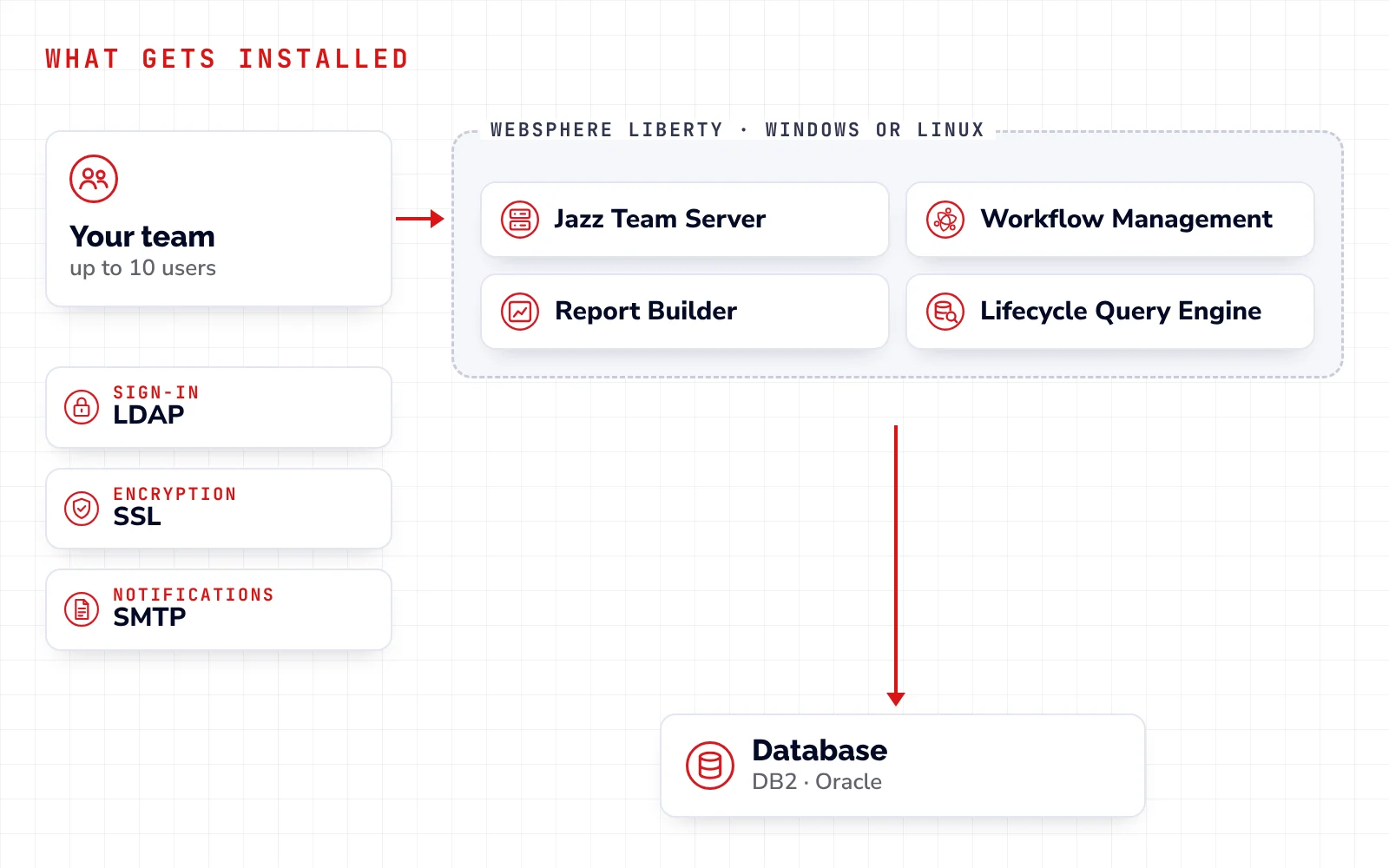
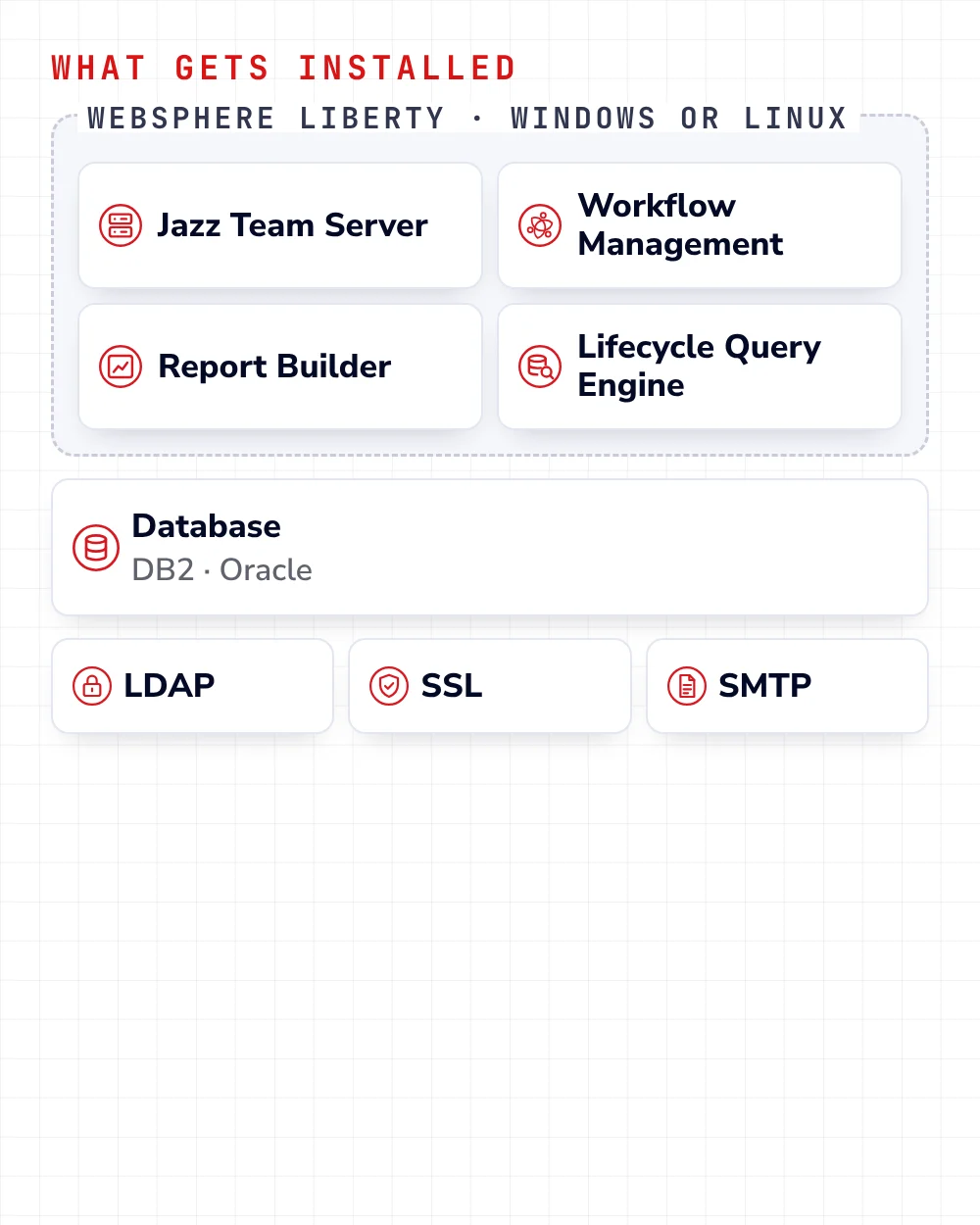
What gets installed: Jazz Team Server, Workflow Management, Report Builder and Lifecycle Query Engine on one WebSphere Liberty server with a DB2 or Oracle databaseWhat gets installed: Jazz Team Server, Workflow Management, Report Builder and Lifecycle Query Engine on one WebSphere Liberty server with a DB2 or Oracle database
What gets installed on your server

Included

  • Planning workshop and prerequisite check
  • Jazz Team Server, Workflow Management, Report Builder and Lifecycle Query Engine on one server
  • Latest iFixes, LDAP, SSL and SMTP
  • One out-of-the-box process configuration, chosen with you
  • Post-installation documentation
  • 1-day training and 1 day of mentoring for up to 10 people

You prepare

  • A Windows or Linux server
  • A DB2 or Oracle database
  • Your IBM licenses
  • Access to your system and database administrators
  • The completed prerequisite checklist
  • Real work to plan on day five

Not included

  • Integrations with other IBM or third-party products
  • Platforms other than Windows or Linux
  • Custom report templates
  • Custom process templates
  • Applications not listed in the package

We can quote these separately.

Benefits

What you have after five days

Benefits at low risk

An initial team uses Workflow Management on a real project, and you build the foundation for broader use by more teams.

One QuickStart, four results

QuickStart
Running serverSecure sign-inTrained teamDocumentation

Everything stays on your server, with your administrators.

Quick return on your investment

Your team starts using what you bought in the first week.

Expertise in your team

Training plus a day of mentoring on your own project.

Adoption risks reduced

We identify and reduce the risks of a first installation before more teams join.

Real-time project status

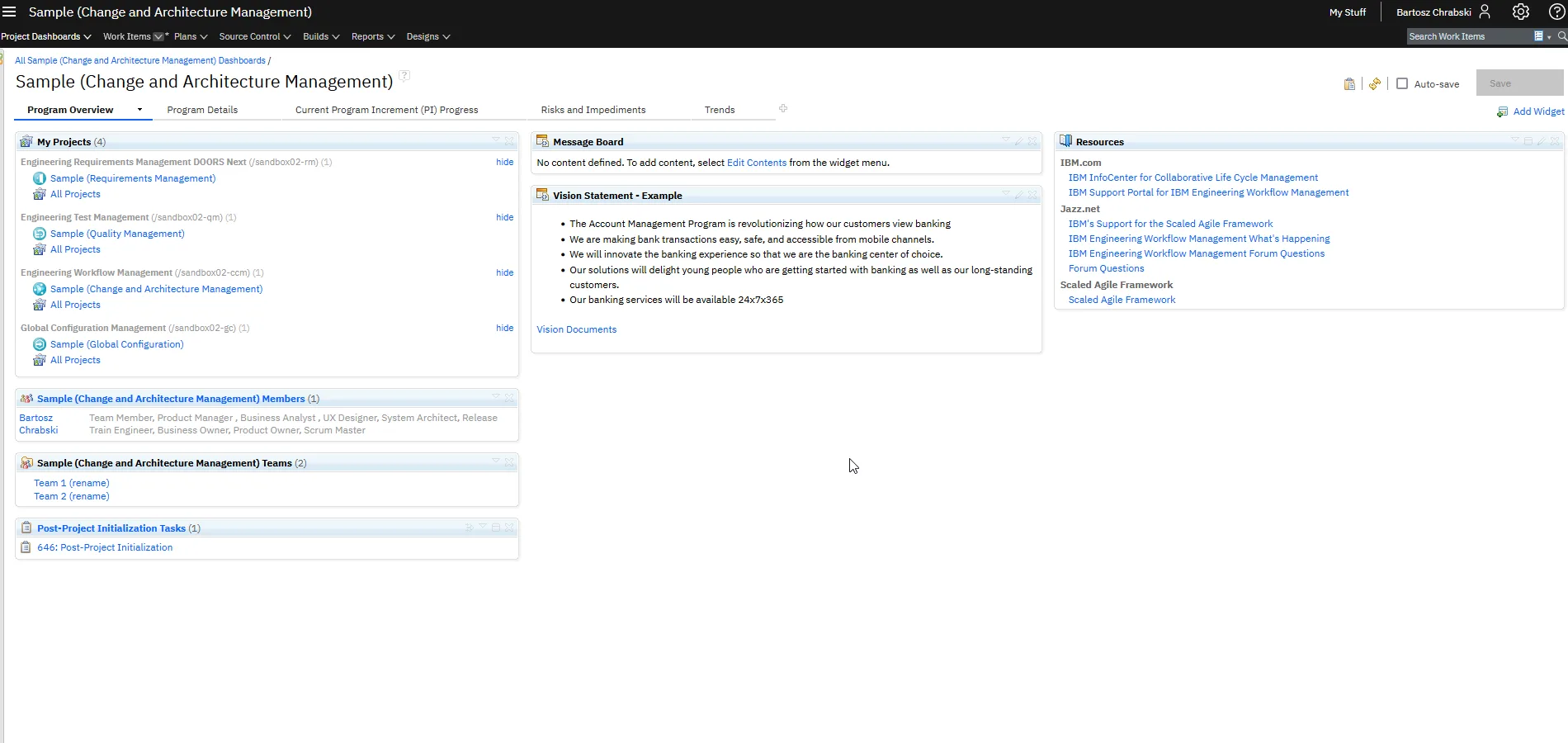
Plans, work items and progress visible to the whole team.

FAQ

Questions we hear before a Workflow Management QuickStart

How many users does the QuickStart cover?

An initial team of up to 10 users, working with one of the out-of-the-box process configurations. Larger teams and custom processes are a separate engagement. We run it on-site or remotely.

What do we need to prepare?

A Windows or Linux server, a DB2 or Oracle database, the completed prerequisite checklist we send before day one, and access to your system and database administrators.

What exactly gets installed?

IBM Jazz Team Server, Workflow Management, Report Builder and Lifecycle Query Engine (LQE), on a single server.

What is not included?

Integrations with other IBM or third-party products, platforms other than Windows or Linux, custom report templates and other applications. We can quote them separately.

Which process template will we use?

One of the out-of-the-box configurations, chosen with you on day one, for example a Scrum or a traditional template.

What happens after the five days?

Your team works on its own. If you need more, see Agile Methodologies or ask us about build and release automation.

Talk to our consultants

Leave your details and we will get back to you, usually within one business day.

    We will only use your details to respond to your inquiry. Privacy policy