
A requirements module
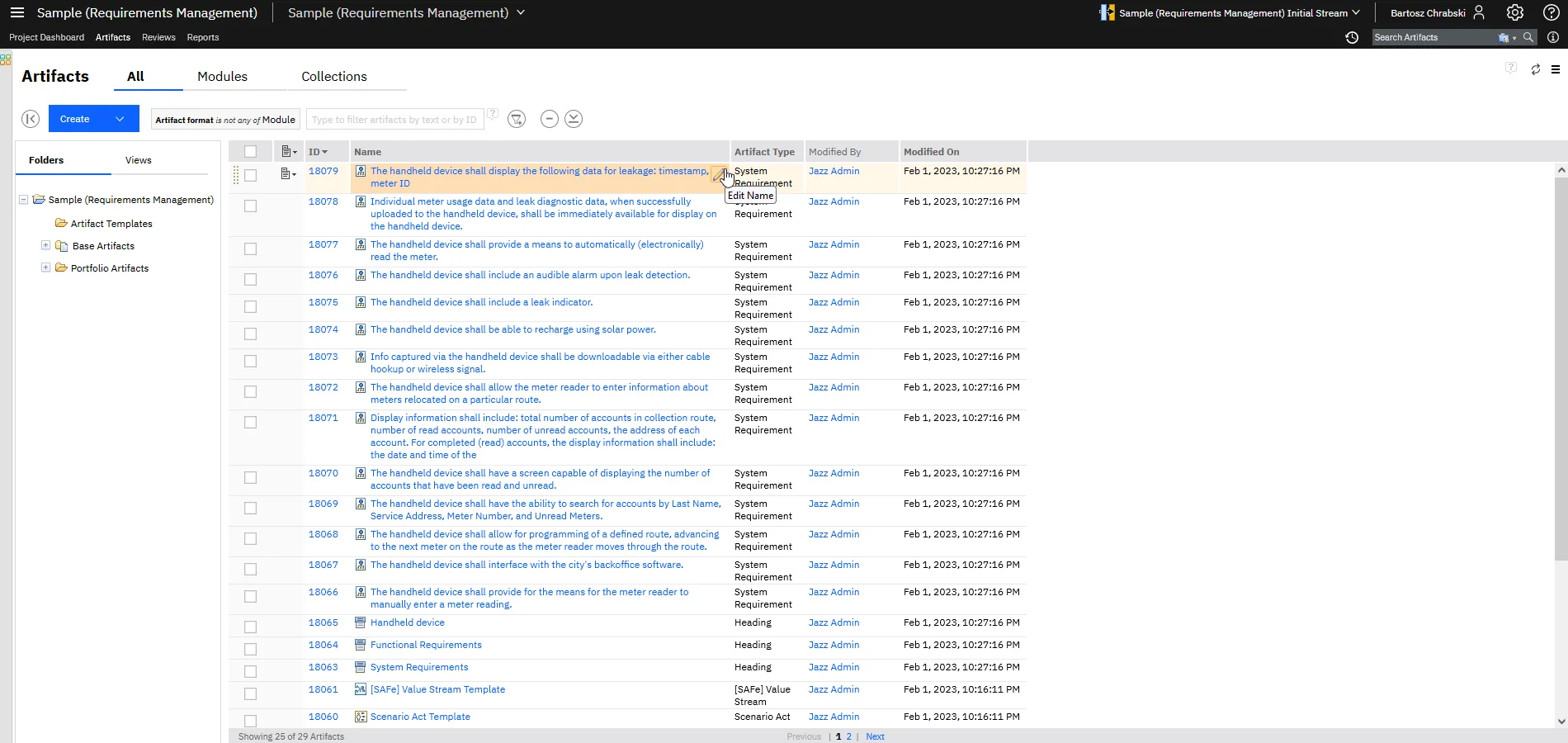
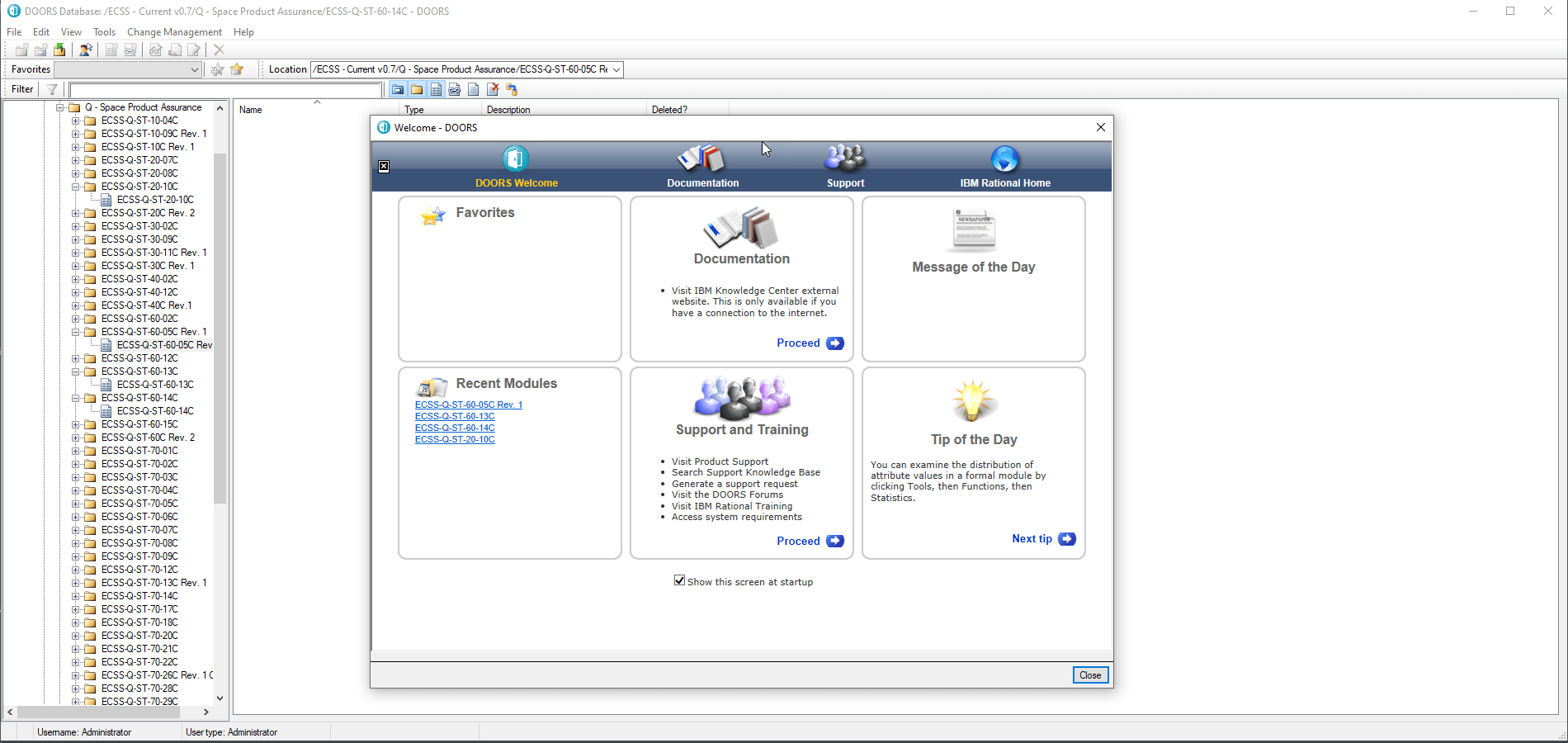
DOORS 9 opens a specification in the Windows client and DOORS Next in a browser tab. Both show the outline next to the text.
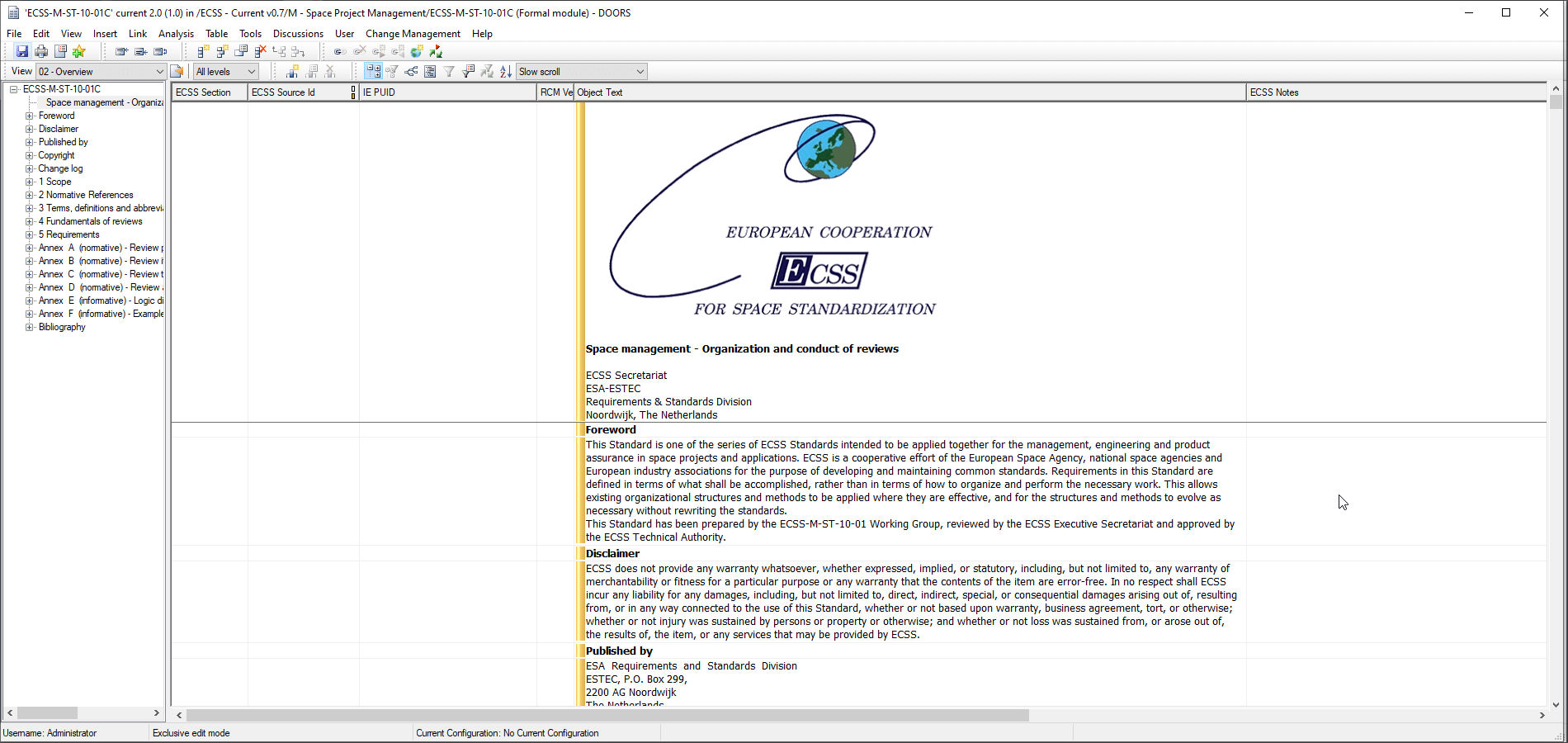
 DOORS 9
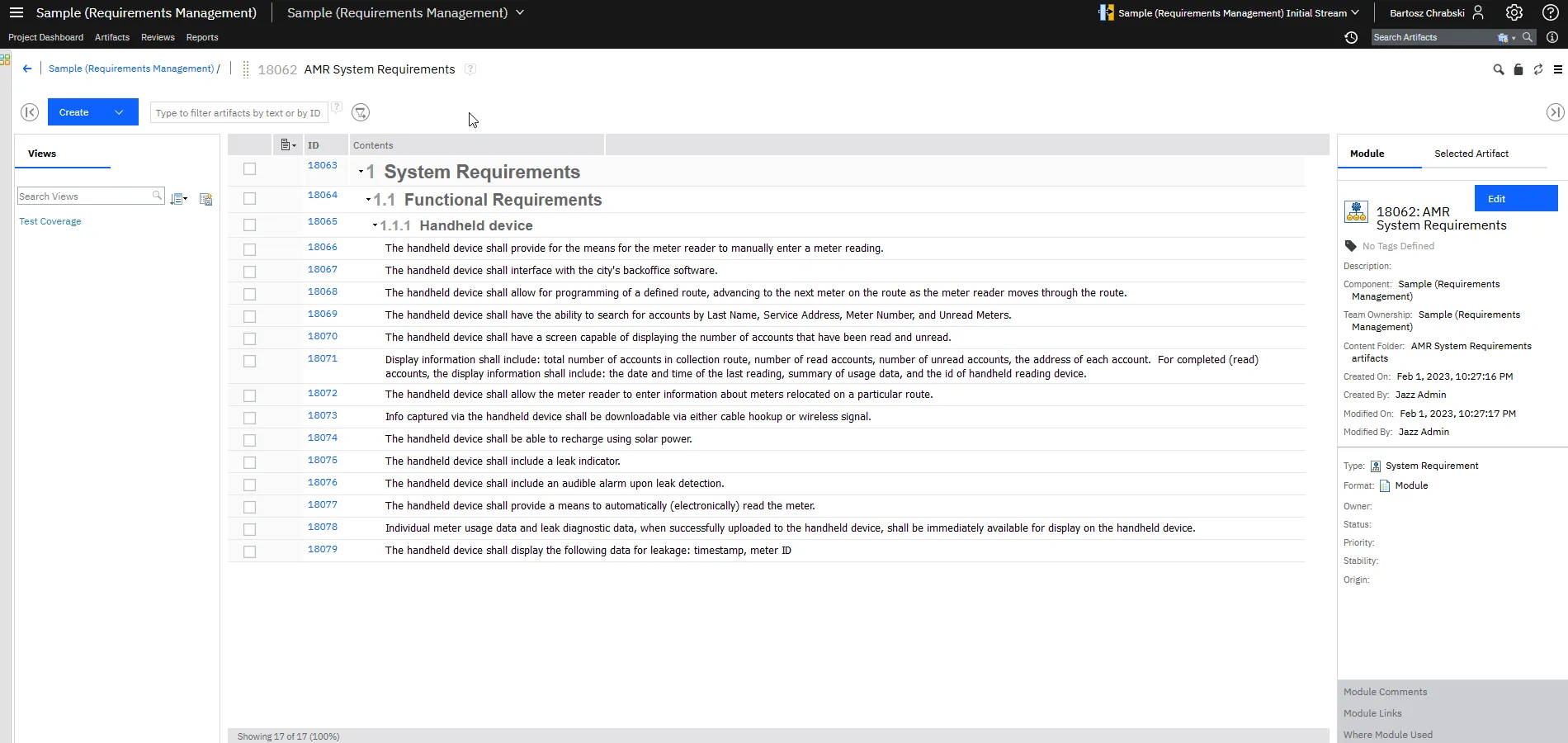
 DOORS Next


Requirements, desktop and web
Two IBM requirements tools under one license: DOORS 9 on the desktop and DOORS Next in the browser. We license, install and support both.
 DOORS family
The IBM DOORS family is IBM’s pair of requirements management tools, sold under one family of licenses: IBM Engineering Requirements Management DOORS, known as DOORS 9 and formerly IBM Rational DOORS, and IBM Engineering Requirements Management DOORS Next, formerly DOORS Next Generation.
DOORS 9 is the desktop tool, with a Windows client and its own database. DOORS Next works in the browser on IBM Engineering Lifecycle Management. IBM still ships fix packs for DOORS 9. New features go into DOORS Next.
Many organizations run both. Programs that started in DOORS 9 stay there while new ones start in DOORS Next, with links between the two. We sell the licenses, and we install and host both tools. When a program is ready, we move its project to DOORS Next.
Both tools hold requirements, links and baselines, and both exchange ReqIF with suppliers. They differ in where people work and what the tool connects to.
| DOORS 9formerly IBM Rational DOORS | DOORS Nextformerly DOORS Next Generation | |
|---|---|---|
| Where people work | Windows client, DOORS Web Access for reviewers | Any web browser, with nothing to install |
| Where it runs | On premises or hosted by SmarterProcess | On premises, IBM SaaS or hosted by SmarterProcess |
| Database | Its own DOORS database | Jazz server on Db2 or Oracle |
| Versions and variants | Baselines per module | Baselines, streams and global configurations shared with models and tests |
| Extending it | DXL scripts | Widgets such as SmarterWidgets 2.0, plus REST and OSLC APIs |
| Links to other tools | OSLC links to IBM Engineering Lifecycle Management tools | OSLC links to IBM Engineering Lifecycle Management tools, Jira and GitLab |
| AI | None | IBM Engineering AI Hub, bought separately |
| What IBM ships | Fix packs and maintenance releases | New features in each IBM Engineering Lifecycle Management release |
| Same license for both: DOORS family.Ask which one fits your next program | ||
DOORS 9 opens a specification in the Windows client and DOORS Next in a browser tab. Both show the outline next to the text.
DOORS 9DOORS NextSaved views choose the columns and filters a team needs. Reviewers see status while authors see text and attributes.
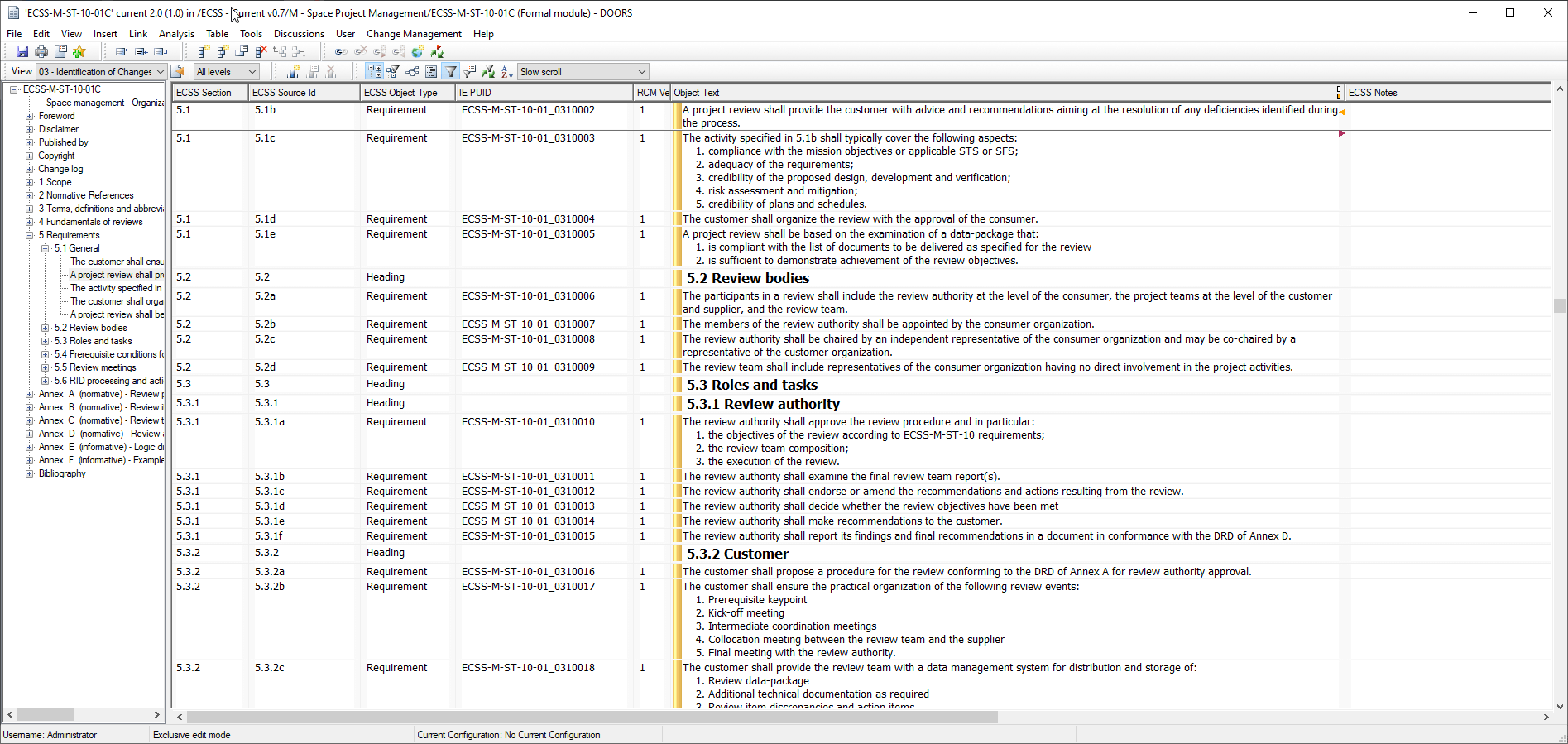 DOORS 9
 DOORS Next
You buy DOORS family licenses and decide per person which tool they open. We check what you already own and size the mix from real usage.
Authorized for a named person, floating for a shared pool, IBM tokens if you also run other IBM Engineering Lifecycle Management products.
DOORS 9 checks them out from the IBM Rational license server, DOORS Next from the Jazz Team Server.
License server Jazz Team Server
Within the number of licenses you own, people can work in DOORS 9, in DOORS Next or in both.
DOORS 9DOORS NextAlready on DOORS 9 with active subscription and support? Those licenses also cover DOORS Next. We check your entitlement before you buy anything new.
Check my licenses
 OSLC linksA DOORS Next requirement links to a DOORS 9 object, and both link to tests and models
 Migration packages and ReqIFA program’s modules move at a milestone you choose
 SmarterWidgets 2.0Gives DOORS Next users the features they used to script in DXL

Trusted in regulated industries
Our clients build products under strict standards and regular audits. We supply licenses, implementation, hosting and training.
Our clients build products under strict standards and regular audits. We supply licenses, implementation, hosting and training.















































We are a partner and reseller of these technology providers.



Trainings
Services
Authorized licenses suit people who work in DOORS every day; floating licenses are shared by occasional users. DOORS Web Access users need licenses too. We size the mix from your user list and usage logs.
Yes. IBM still releases DOORS 9.7.2.x fix packs. New features, such as AI agents from IBM Engineering AI Hub and global configurations, go into DOORS Next.
Project by project, with migration packages or ReqIF. We review DXL first: for most DXL scripts we have SmarterWidgets 2.0, our 30+ ready-made widgets for DOORS Next (link checks, module diff, baseline archive and more). Built-in features cover others, and the rest we rewrite.
Yes. DOORS 9 imports and exports Requirements Interchange Format (ReqIF) files, so suppliers can work in their own tool and send changes back.
Yes. We write new DXL scripts, fix old ones after an upgrade and document what each script does before a migration.
Yes. During a migration, requirements in both tools can be linked through OSLC, so teams move one project at a time.
Yes. Sign a baseline directly in DOORS, without external tools. The record shows who signed and when. This supports audit capability, quality procedures and conformance with FDA 21 CFR Part 11.
Report on DOORS data across IBM Engineering Lifecycle Management. Jazz Reporting Service Report Builder is a point-and-click tool with ready report templates for tables, traceability matrices, graphics and trends. Publishing generates documents as PDF, HTML, XSL or Word. Engineering Insights explores artifact relationships and runs dependency analysis.
Add them to the IBM Engineering Lifecycle Management Mini Dashboard and hand repetitive requirements work over to them. Each one previews its changes first.
Browse all widgets