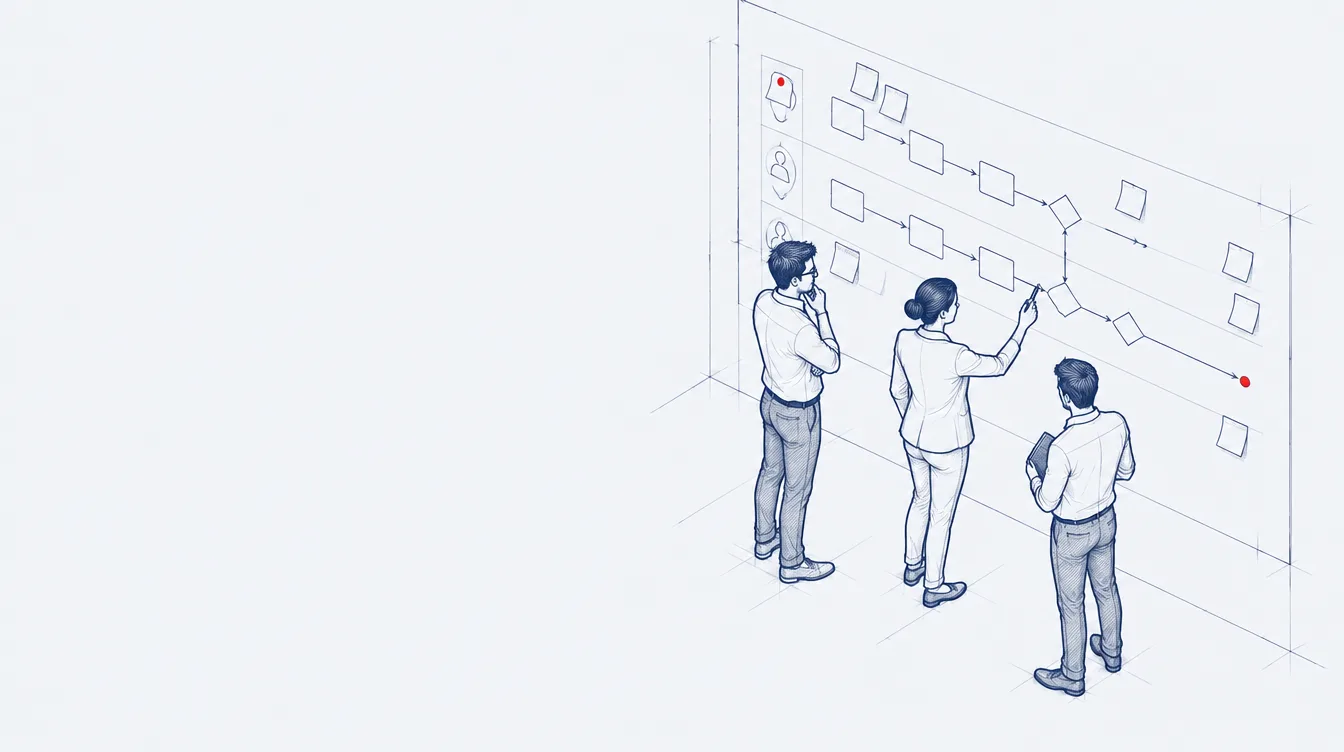

Bidirectional synchronisation
Artifacts and updates stay in sync in both directions between IBM ELM and the other tool. You set it up point and click, without writing code.
 IBM Engineering Integration Hub


 Integration Hub
IBM Engineering Integration Hub, formerly IBM Engineering Lifecycle Optimization – Lifecycle Integration Adapters Tasktop Edition, connects IBM Engineering Lifecycle Management with third-party tools. Data and updates move between the tools automatically, so each team keeps working in the tool it already uses.
On the IBM side it connects IBM Engineering Workflow Management, IBM Engineering Requirements Management DOORS and IBM Engineering Requirements Management DOORS Next. On the other side there are connectors for agile, DevOps and IT tools such as Atlassian Jira, Microsoft Azure DevOps Server, Jama Connect, Polarion ALM, PTC Windchill and ServiceNow.
Integrations are set up point and click in a web designer, on top of one central model instead of a separate bridge for each pair of tools. The same model scales from one project to hundreds.
Relationships such as parent-child, validated-by and depends-on travel with the artifacts, so traceability holds across tools and stays ready for an audit.
Integration Hub is built on Planview Hub technology. Customers of Lifecycle Integration Adapters Tasktop Edition are entitled to it.
Find the line closest to your team. Each one shows what changes with Integration Hub.
Capabilities
Artifacts and updates stay in sync in both directions between IBM ELM and the other tool. You set it up point and click, without writing code.
IBM Engineering Integration Hub
An event in one tool creates or updates an artifact in another, in one direction.
IBM Engineering Integration Hub
Artifact data from every connected tool flows into one stream for reporting.
IBM Engineering Integration Hub
Parent-child, validated-by, depends-on and blocked-by links move with the artifacts.
IBM Engineering Integration Hub
Artifacts map to a central model, not to each tool pair, so new tools join faster.
IBM Engineering Integration Hub
Routes, filters and state transitions defined in a web designer.
IBM Engineering Integration Hub
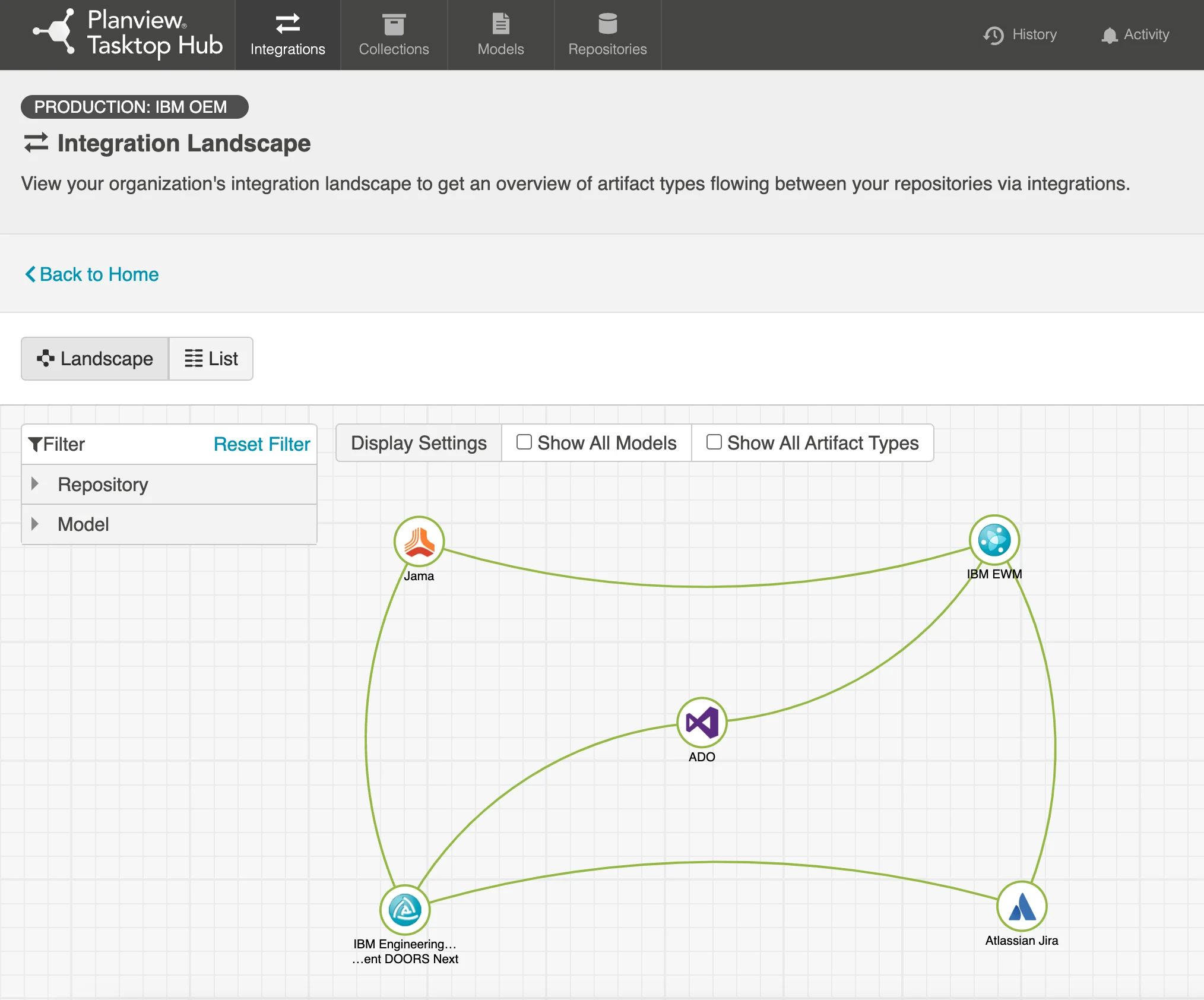
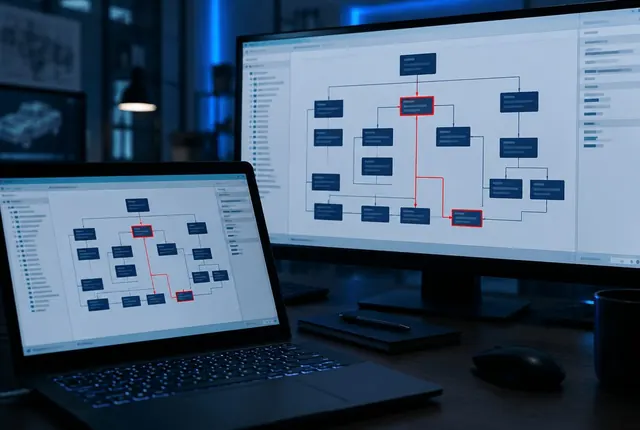
Every repository and the integrations between them on one map: Jama, Azure DevOps, Workflow Management, DOORS Next and Jira.
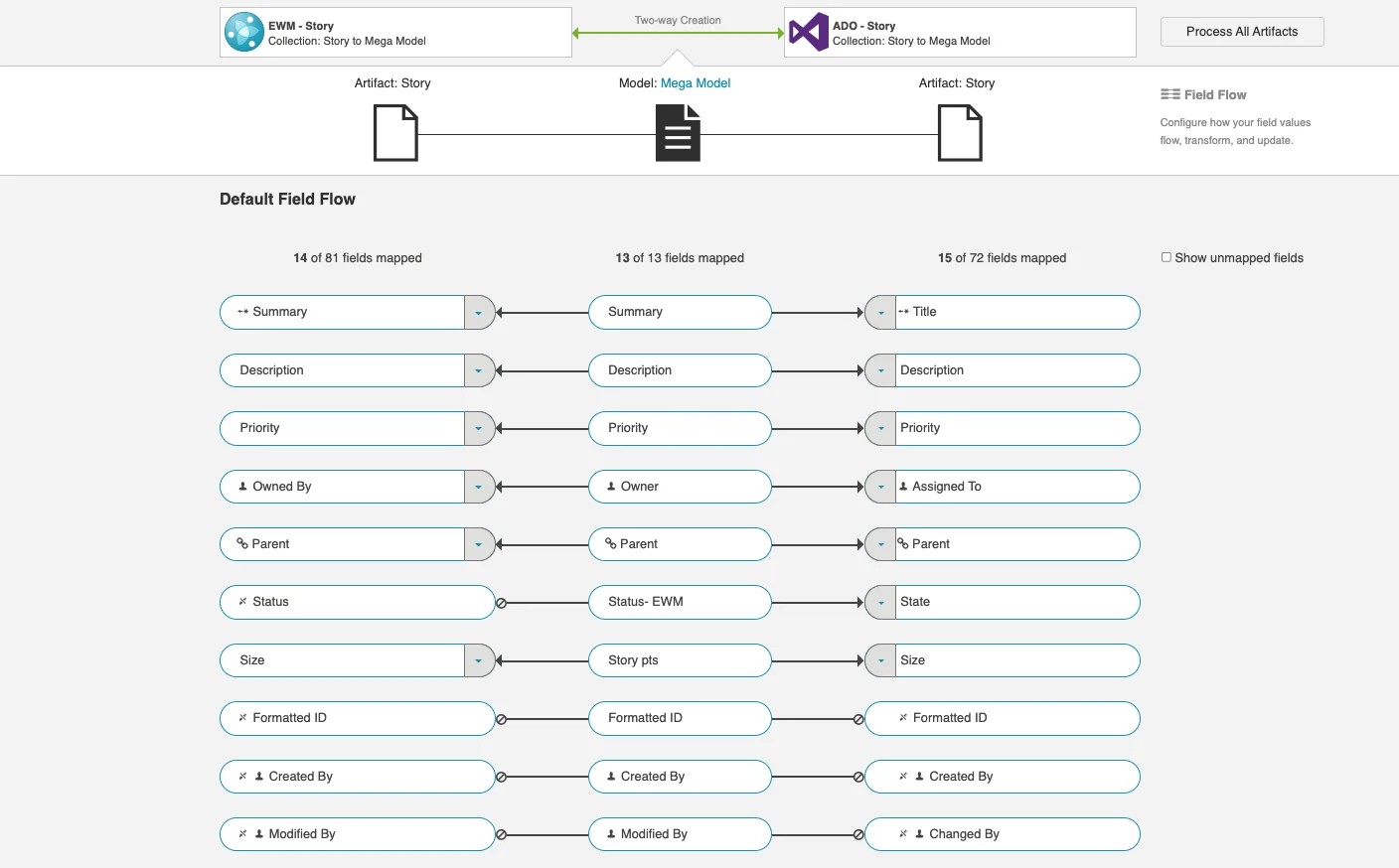
Two-way creation between Workflow Management stories and Azure DevOps stories, each field mapped through the central model.
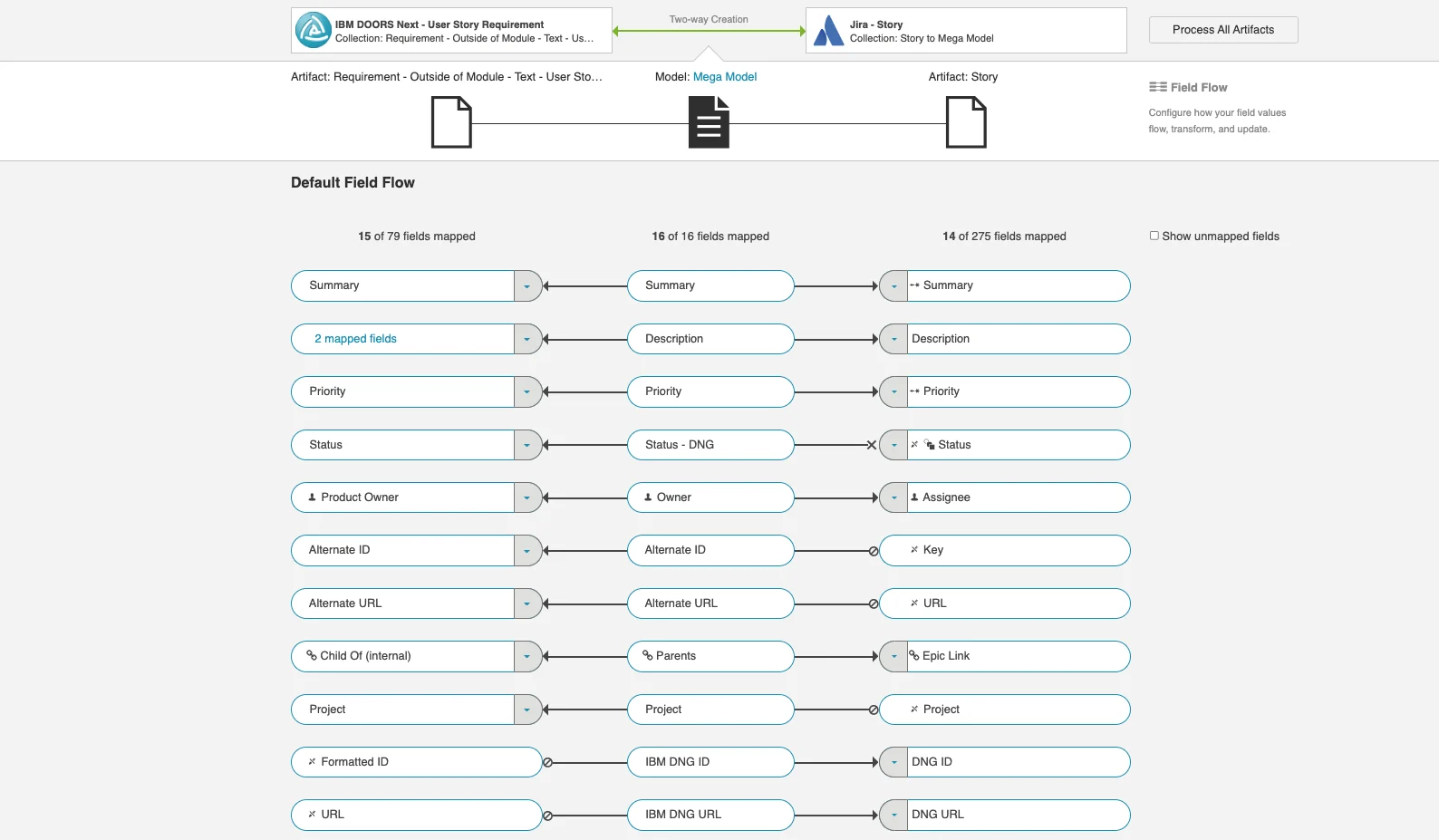
User story requirements in DOORS Next synced with Jira stories: summary, description, status, owner and links.
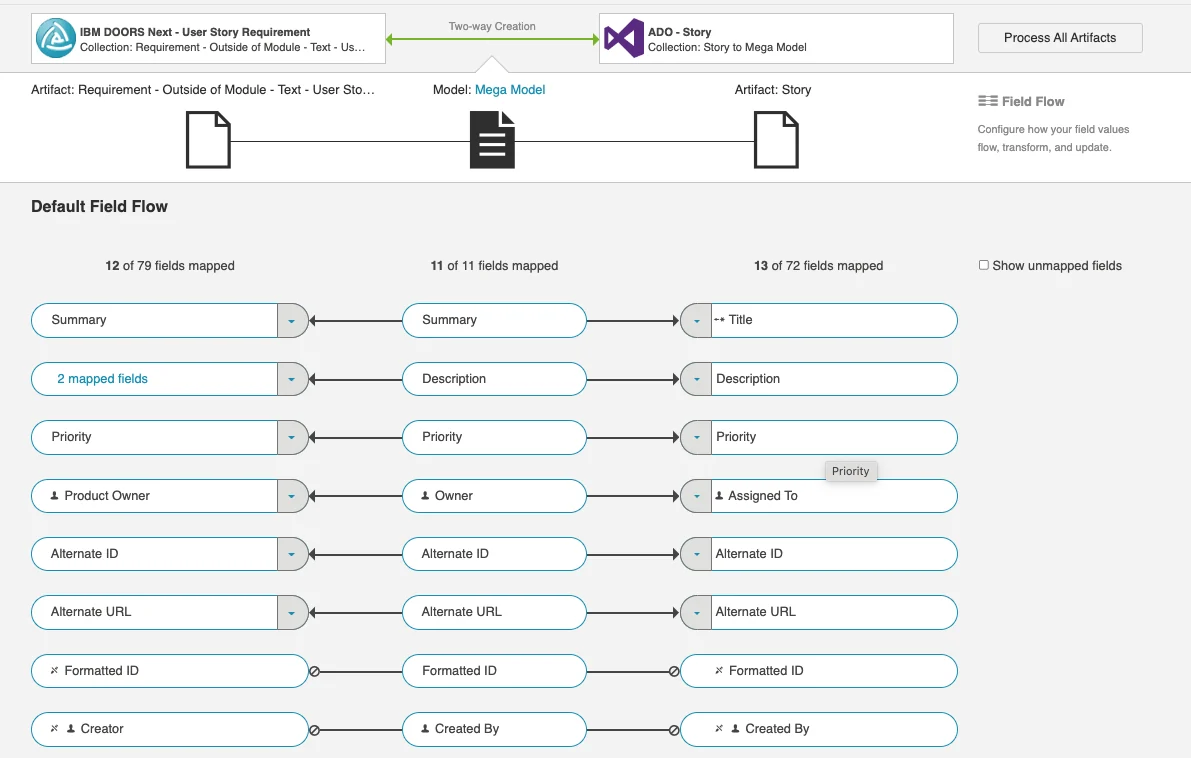
Requirements in DOORS Next and stories in Azure DevOps, with priority, owner and IDs mapped in both directions.
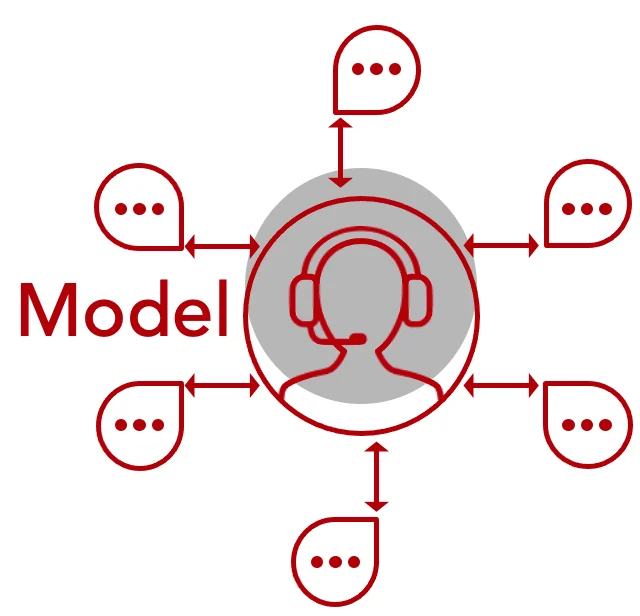
Each tool maps once to the central model instead of to every other tool.
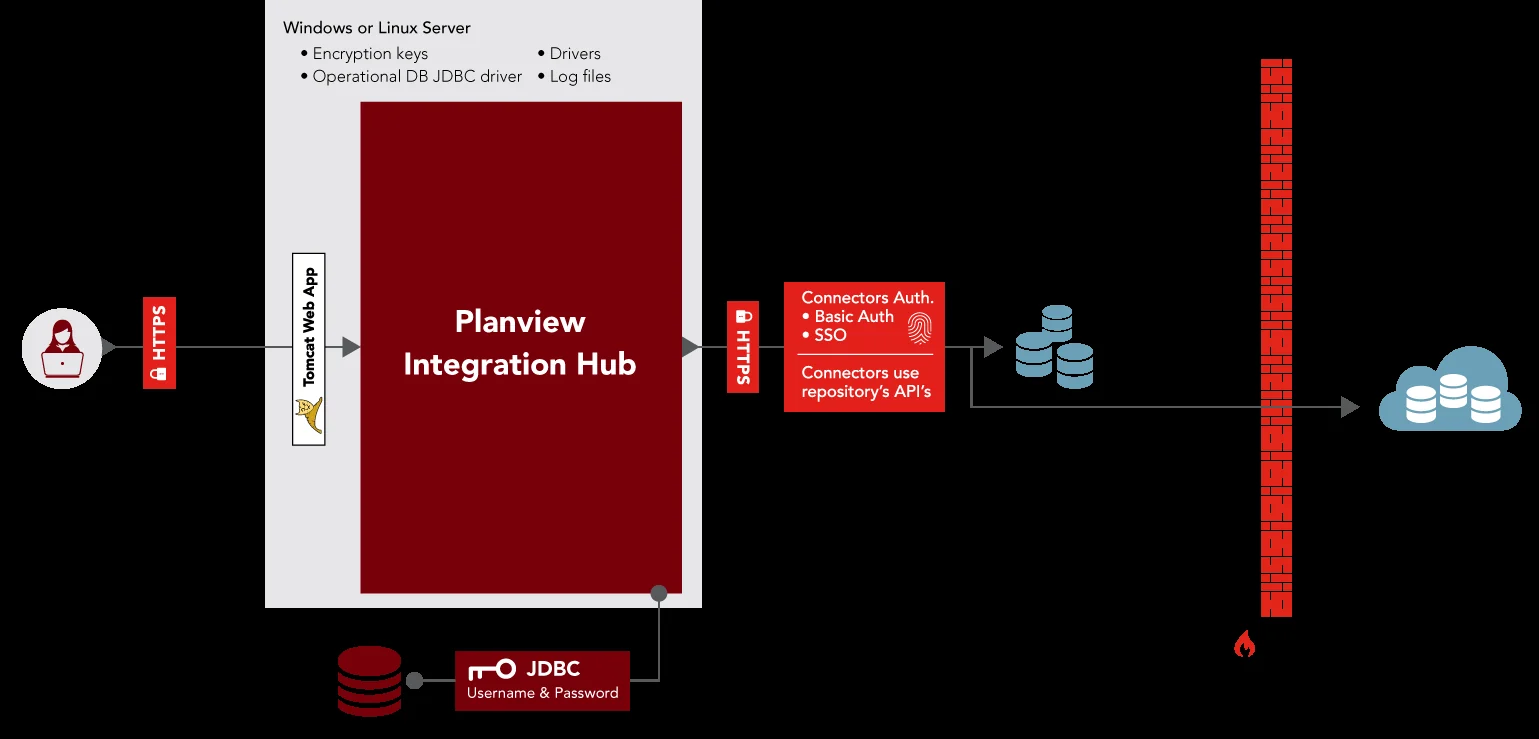
A web app on a Windows or Linux server with its own database. It reaches each tool over HTTPS through the tool API.
 IBM Engineering Requirements Management DOORS NextRequirements synced with other tools
 IBM Engineering Requirements Management DOORSModules linked to third-party tools
 IBM Engineering Workflow ManagementWork items synced with trackers
 Integration HubMoves data between ELM and other tools

Issues kept in sync with work items and requirements.

Work items synced with Workflow Management.

Requirements exchanged with DOORS Next.

Requirements and their links synced with DOORS Next.

Service tickets linked to engineering work.

PLM items synced with IBM ELM artifacts.

Issues synced with Workflow Management work items.

Open standard for links between IBM ELM tools.
Trusted in regulated industries
Our clients build products under strict standards and regular audits. We supply licences, implementation, hosting and training.
Our clients build products under strict standards and regular audits. We supply licences, implementation, hosting and training.










































We are a partner and reseller of these technology providers.


Services
Integration Hub is a separate IBM product next to your ELM licences. Customers of Lifecycle Integration Adapters Tasktop Edition are already entitled to it. We size the licences from the tools and projects you want to connect.
On a server of yours, next to IBM ELM. It connects to each tool with service accounts, one to create and update artifacts and one to add comments.
Integration Hub is the same product under its new name, and your entitlement carries over. We plan the upgrade and move your existing integrations.
On the IBM side Workflow Management, DOORS and DOORS Next. On the other side tools such as Atlassian Jira, Microsoft Azure DevOps Server, Jama Connect, Polarion ALM, PTC Windchill, ServiceNow and GitLab Issues. IBM adds connectors and versions with each release.
An OSLC link points to an artifact where it lives. Integration Hub copies and updates the artifact in the other tool, so each team works in its own tool. Many teams use both.
Yes. Relationships move with the artifacts and changes are recorded, so you can show where each item came from.
Add them to the ELM Mini Dashboard and hand repetitive requirements work over to them. Each one previews its changes first.
Browse all widgets